




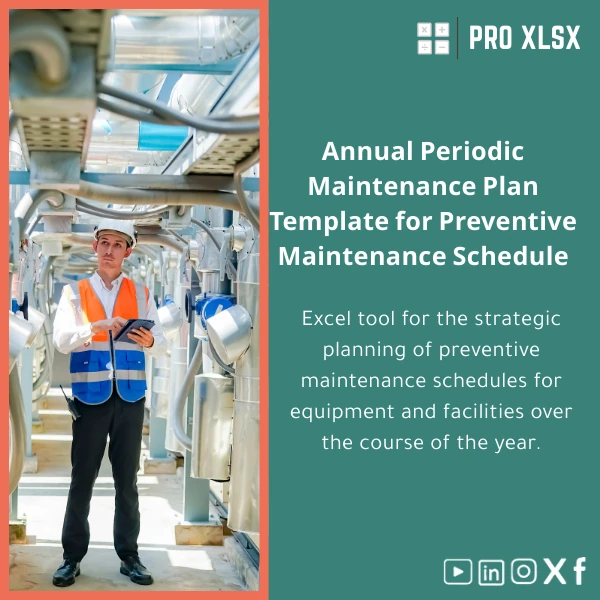
Annual Preventive Maintenance Plan Excel Template
Original price was: $37.53.$26.73Current price is: $26.73.
A ready-to-use Excel workbook that lets accountants, data analysts and operations teams plan, cost and report yearly preventive maintenance for equipment and facilities — without buying expensive CMMS or writing complex code.
Key benefits & value for buyers
The Annual preventive maintenance plan template translates maintenance activities into measurable financial and operational outputs — so accountants can book provisioned costs, data analysts can produce accurate downtime reports, and operations managers can keep technicians on schedule. Benefits include:
- Faster setup: Pre-built equipment register and recurring task library to get a plan running in hours, not weeks.
- Visibility: One-sheet dashboard that surfaces upcoming services, overdue items and monthly maintenance cost forecasts.
- Cost control: Spare parts register and cost-per-task calculations to help budgeting and variance analysis.
- Audit-ready records: Date-stamped history and printable service logs for internal audit and external reviewers.
- Flexible: Editable Excel native workbook — no vendor lock-in, exportable to CSV for ERP or accounting imports.
Use cases & real-life scenarios
For accountants
Accrue maintenance provisions monthly by mapping scheduled tasks to expected costs. Export the monthly cost roll-up to your accounting system and attach maintenance logs to support audit entries.
For data analysts
Use the template to combine maintenance history with production logs, then calculate MTTR and MTBF. The structured tables make pivoting and visualization straightforward for operational dashboards.
For companies & facilities managers
Plan preventive tasks for HVAC, generators, lifts and production machinery; assign technicians; produce weekly task lists and printable calendars. Reduce unplanned downtime by ensuring consistent service intervals.
Small/Medium Businesses without CMMS
Replace manual spreadsheets and scattered reminders with a consolidated, professional plan that delivers many CMMS benefits at a fraction of the cost and complexity.
Who is this product for?
This template is designed for Egyptian companies, accountants, consultants and data analysts who need an efficient, Excel-first solution for:
- Small to mid-size facilities that cannot justify full CMMS software.
- Accountants who need audit-proof maintenance cost schedules.
- Operations teams wanting immediate gains from better planning and fewer breakdowns.
- Consultants and service providers preparing maintenance plans for clients.
How to choose the right setup
Not every site needs the same complexity. Choose based on these criteria:
- Number of assets: Under 200 assets — the standard workbook is fast and performant. Above that, consider requesting a customized workbook with optimized tables and power-query support.
- Automation needs: If you want automated email reminders or advanced VBA routines, select the macro-enabled version or request hourly automation services.
- Reporting frequency: If you need daily technician dispatch sheets, ensure the calendar view and filter presets meet that need — the template includes printable weekly lists by default.
Quick comparison with typical alternatives
How this template stacks up against alternatives:
- Manual spreadsheets: Better structured, auditable and less error-prone; includes ready formulas and dashboards.
- Commercial CMMS: Cheaper and faster to deploy; no subscription fees; best for organizations that want control within Excel.
- Custom software: Custom software offers scale but is slow and costly to build — this template provides immediate value while you plan long-term investments.
Best practices & tips to get maximum value
- Start by populating the equipment register with critical assets only — you can expand gradually.
- Use cost fields to track spare-part unit prices and let the template calculate monthly expense forecasts.
- Keep a consistent date format and technician names to maintain clean pivot tables and avoid duplicate records.
- Export monthly summaries to your accounting software to align maintenance provisions with financial reporting periods.
- If you need automation (email reminders, technician assignment), order an hourly implementation from ProXlsx — a common add-on for busy sites.
Common mistakes when implementing maintenance plans and how to avoid them
- Overloading the first version: Trying to track every spare part and sensor from day one — avoid this by focusing on high-impact assets first.
- Ignoring cost fields: Not entering cost data removes budgeting value — populate unit costs for reliable forecasts.
- No version control: Save a copy before major changes and use dated backups to avoid data loss.
- Forgetting user instructions: The template includes a concise user guide; read it or request short implementation support to speed adoption.
Product specifications
- File format: .xlsx (editable). Macro-enabled .xlsm version available on request.
- Excel compatibility: Office 2016, 2019, Office 365 (desktop Excel recommended for full functionality).
- Sheets included: Equipment Register, Task Library, Annual Schedule, Monthly Calendar, Spare Parts Register, Maintenance History, Dashboard, Instructions.
- Automation: Conditional alerts, dynamic filters, printable calendars. VBA automation available as paid add-on.
- Localization: English by default; Arabic labels and RTL layout can be added during customization.
- Delivery: Instant download after purchase + optional hourly customization and data-entry services from ProXlsx.
Frequently asked questions
Will this template work with our accounting system?
Yes. The template exports tables to CSV and includes a monthly cost roll-up that can be mapped to typical accounting chart-of-accounts. For ERP-specific mapping we offer hourly support to prepare export files.
Do I need advanced Excel skills to use it?
No. Basic Excel familiarity is sufficient: entering asset records, selecting dates and filtering. The workbook includes clear instructions and built-in automations. If you prefer, ProXlsx offers setup by the hour.
Can the template send reminders or emails automatically?
The standard version highlights upcoming/overdue tasks within the workbook. Macro-enabled automation (email reminders, scheduled exports) is available as an add-on or as a paid implementation service.
What support is included after purchase?
Immediate download and an instructions sheet are included. For customization, data entry, or automation, choose hourly services from ProXlsx to adapt the template to your workflow.
Get started with your annual preventive maintenance plan
Ready to replace manual logs with a professional, audit-ready plan that aligns maintenance with accounting and operations? The template is ready to download and works out of the box — plus ProXlsx can customize it for your site.
Prefer setup help? After purchase, request hourly implementation for data import, Arabic labels, or VBA automation to accelerate adoption.







Reviews
Clear filtersThere are no reviews yet.