



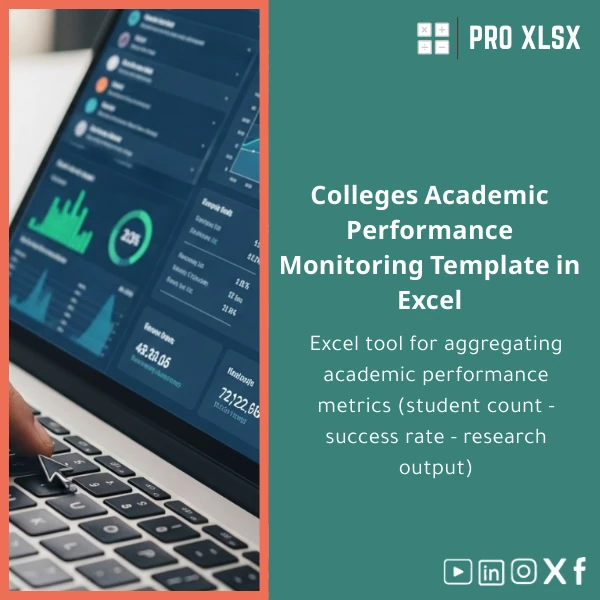
Academic Performance Tracking Template for Colleges in Excel
Original price was: $48.33.$37.53Current price is: $37.53.
A ready-to-use Excel solution to consolidate college academic KPIs — student counts, pass rates, progression, and research output — into one dashboard. Designed for accountants, data analysts, and institutional teams who need accurate, auditable academic performance reports without building systems from scratch.
Key benefits & value for buyers
Translate raw academic and operational data into decision-ready reports. The Academic Performance Tracking Template simplifies complex calculations and standardizes reporting so teams deliver consistent, defensible results.
What you gain
- Faster reporting cycles: Pre-configured import sheets and pivot-ready layouts let you refresh dashboards within minutes.
- Higher accuracy: Locked formula cells, error checks, and automated pass-rate calculations reduce manual mistakes.
- Auditability: Traceable inputs and a clear calculation flow make internal and external audits easier.
- Cost-effective: Avoid expensive BI licenses — use Excel to produce executive-ready dashboards.
Use cases & real-life scenarios
Monthly Academic Board Report
Export student enrolment and exam results from your SIS, paste into the import sheet, and the template produces headcount trends, pass/fail rates by program, and variance notes for the board meeting.
Accreditation & Quality Assurance
Compile program-level KPIs, graduation rates, and research publications per faculty to generate the packs required for accreditation reviews — all with sources and time-stamped snapshots.
Finance & Resource Planning
Accountants and planners can combine student load and progression metrics to model tuition income, forecasting headcount and expected revenue by course or faculty.
Who is this product for?
Specifically created for professionals who need reliable, modifiable Excel tools:
- Accountants preparing academic budgets and reconciling student income reports.
- Data analysts building recurring dashboards from semester data exports.
- Institutional research offices preparing KPI reports for leadership or accreditation.
- Consulting firms who require a fast, professional template to deliver client analyses.
How to choose the right version
The template is offered in three practical options so you only pay for what you need:
- Standard: Core KPI dashboard, import sheets, and pivot-ready tables. Best for small colleges and internal reporting teams.
- Advanced: Includes standardized graphs, trend analysis, semester comparisons, and optional protected sheets. Ideal for larger institutions and finance teams.
- Custom (hourly service): Tailored fields, integrations, or VBA automatons implemented by ProXlsx experts (hourly execution available).
If unsure, choose Standard and add customization later — ProXlsx provides hourly support to adapt the template to your data model.
Quick comparison with typical alternatives
Common choices and why this template is often the better fit:
- Manual spreadsheets: Time-consuming, error-prone. The template standardizes calculations and reduces manual work.
- Full BI platforms: Powerful but costly and slow to deploy. Use this Excel template for fast ROI and lower operating cost.
- Custom software: Expensive and long lead times. The template gives immediate results and can be customized incrementally.
Best practices & tips to get maximum value
- Keep raw exports untouched: Always paste source data into the provided import sheet to preserve an audit trail.
- Use named ranges: When customizing, use named ranges for clarity and safer formula edits.
- Schedule refreshes: Build a monthly workflow — export data, paste, review dashboard, save snapshot.
- Secure sensitive data: Use Excel protection and local access controls; consider removing PII before sharing reports.
- Leverage ProXlsx hourly support: If you need connectors, VBA exports, or additional KPIs, order customization by the hour.
Common mistakes when buying/using similar templates and how to avoid them
- Buying the wrong variant: Assess whether you need macros/VBA — if not, choose a non-macro version for compatibility and security.
- Mixing raw edits and reports: Avoid editing calculations directly; use the customization service to preserve maintainability.
- Ignoring version compatibility: Use recent Excel versions (2016+) or Office 365 for full functionality; the template includes compatibility notes.
Product specifications
- Format: .xlsx (Standard), .xlsm available for macro-enabled Advanced/Custom versions
- Compatibility: Excel 2016, Excel 2019, Excel 2021, Microsoft 365 (Windows & Mac limited macro support)
- Sheets included: Import Data, Student Roster, Course Mapping, KPI Calculations, Dashboard, Snapshot Archive
- Features: Pre-built KPIs (pass rates, retention, graduation, research output), pivot-friendly layouts, charts, conditional alerts
- Delivery: Instant digital download after purchase; customization available hourly
- License: Single-institution use; multi-site licensing options available on request
- Support: Documentation included; ProXlsx hourly services for setup or customization
Frequently asked questions
Is this template compatible with my SIS export?
Yes. The template uses a simple import sheet where you paste CSV or Excel exports. Column-mapping guidance is included for common SIS systems; ProXlsx can map non-standard exports as an hourly customization service.
Does the template include macros (VBA)?
There are two options. The Standard version is macro-free for maximum compatibility. The Advanced/Custom versions can include macro features (automated snapshots, exports) — choose .xlsm if you require them.
Can I request additional KPIs or a custom dashboard?
Yes. ProXlsx offers hourly customization and full template tailoring. Submit your requirements and receive an estimate for implementation time and cost.
What about data privacy and sensitive student information?
The template stores data locally in the workbook; ProXlsx recommends anonymizing PII before sharing externally. For customization projects, you can supply masked samples or work under an NDA on request.
Ready to standardize academic reporting?
Download a professional Academic Performance Tracking Template and start producing consistent, auditable KPI reports today. If you need help, ProXlsx experts are available by the hour to configure imports, add KPIs, or automate exports.
Instant download. Documentation and optional hourly customization available after purchase.
Related products

Break-Even Analysis Template for Cost and Profit Estimation
A ready-to-use Break-Even Analysis template in Excel to calculate the sales volume needed to cover costs, model profit scenarios, and produce clear management-ready charts and a margin of safety calculator. Designed for accountants, analysts, and companies who need fast, reliable decision support without complex systems.







Reviews
Clear filtersThere are no reviews yet.