


Goals Management Template for Short and Long-Term Planning
Original price was: $37.53.$26.73Current price is: $26.73.
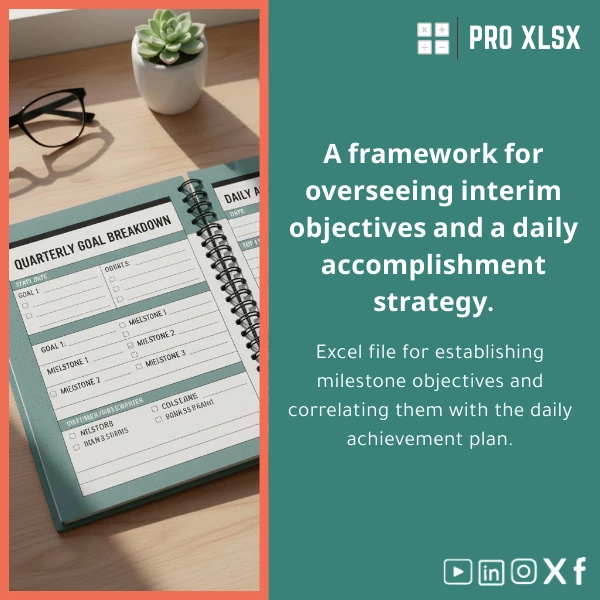
Milestones & Daily Execution Plan — a professionally built goals management template in Excel that links strategic objectives to measurable milestones and a day-by-day execution sheet, designed for accountants, data analysts, and companies that need reliable, audit-ready tracking and reporting.
Key benefits & value for the buyer
This goals management template converts plans into repeatable, measurable workflows. It lowers the friction between strategy and execution and gives finance and operations teams a single source of truth for progress and accountability.
What you gain
- Clarity: One-page dashboard of active goals, milestone status, and overdue tasks so managers can review performance in 60 seconds.
- Accuracy: Pre-built formulas for % complete, weighted progress, and expected vs actual timelines reduce calculation errors common in manual trackers.
- Time savings: Daily execution plan sheet with templates for recurring tasks cuts planning time and helps teams stay focused on high-impact activities.
- Traceability: Change logs and optional timestamps make it easy to audit who updated what and when — important for accountants and compliance reviews.
Use cases & real-life scenarios
Examples tailored to the target audience:
Monthly close and financial targets
Accountants use the short and long term goals template to set closing milestones (trial balance, reconciliations, audit paperwork) and assign daily tasks to clerks so the monthly close completes on schedule. Progress bars and overdue highlights flag risks early.
Operational improvement projects
Operations managers track projects like process automation or vendor onboarding by linking milestones to cost savings KPIs. The template’s milestone tracker exports charts to management reports.
Performance tracking for analysts
Data analysts use the sheet to schedule model updates, data validation tasks, and publish dates. Integrations with Power Query-ready data ranges make it simple to refresh inputs.
Who is this product for?
- Accountants and audit teams who need audit trails and milestone-based checklists.
- Data analysts who must align daily tasks with analytical deliverables and dashboards.
- Small-to-medium companies seeking a low-cost alternative to project management software.
- Consultants and advisors who need a template they can adapt quickly for client engagements.
How to choose the right version
The template is offered in two practical variants. Choose based on team size and automation needs:
- Standard (no macros) — Ideal if you need a fast, stable solution compatible with Excel Online and Mac. Includes dashboard, milestones, daily execution sheet, and instructions.
- Pro (with optional VBA) — Recommended for teams that want automated reminders, one-click report generation, or data imports. ProXlsx can customize VBA tasks per hour if you prefer hands-off automation.
Not sure which fits? Purchase the Standard and add hourly customization later — or contact ProXlsx for a short consult (hourly) to recommend the exact configuration for your workflows.
Quick comparison with typical alternatives
When evaluating options, consider these trade-offs:
- Spreadsheet templates vs generic project apps: Templates give you complete control over formulas and export to financial models without additional subscriptions.
- Custom software vs this template: Fully custom apps are costly and take weeks. This Excel template delivers proven structure in minutes and can be customized hourly.
- Manual trackers vs structured template: Manual trackers lack validation and audit trails. This model enforces consistent inputs and generates repeatable reports.
Best practices & tips to get maximum value
- Map 3–5 primary goals per quarter. Too many goals reduce focus and measurability.
- Assign exactly one owner per milestone and one responsible person for daily execution entries.
- Use the daily execution plan sheet to capture time spent on each task — this converts effort into measurable progress and supports cost analysis.
- Lock reference sheets and use protected ranges for formulas to prevent accidental edits (instructions included).
- Consider ProXlsx hourly support to connect the template to your accounting files or to create automated exports for management reporting.
Common mistakes when buying/using similar templates and how to avoid them
- Buying overly complex templates: Avoid templates with unnecessary fields. This product is modular — start with the dashboard and milestones, then add complexity.
- Not defining owners: Without designated owners, tasks linger. Use the Owner column and conditional formatting to escalate overdue items.
- Ignoring backups: Save periodic backups; enable version history if using OneDrive or SharePoint.
Product specifications
- File format: .xlsx (Standard) / .xlsm (Pro with macros)
- Compatibility: Excel 2016+ for Windows, Excel for Mac (Standard fully compatible), Excel Online (macros disabled)
- Included sheets: Dashboard, Milestones, Daily Execution Plan, Gantt view, KPIs, Change Log, Instructions
- Core features: Dynamic tables, progress % formulas, conditional formatting, printable reports, Power Query-ready ranges
- Skill level required: Basic Excel to use; intermediate Excel to customize; ProXlsx offers hourly customization for advanced needs
- Delivery: Instant download after purchase; optional hourly services billed separately
Frequently asked questions
Is the template compatible with Excel for Mac and Excel Online?
The Standard .xlsx file is fully compatible with Excel for Mac and Excel Online. The Pro version includes optional VBA macros and requires the .xlsm file on Windows for full macro functionality. Mac users can use the Standard features or request a bespoke Mac-friendly automation via ProXlsx hourly service.
Can I link this template to my accounting files or dashboards?
Yes. The template uses structured tables and Power Query-friendly ranges so data can be linked or imported from other workbooks, CSVs, or common accounting exports. ProXlsx can assist with the integration as an hourly service if you want a fast, tested setup.
Do you offer customization or setup help?
ProXlsx provides paid hourly services for data entry, template customization, VBA automation, and bespoke reporting. Typical tasks (e.g., mapping your chart of accounts into KPI fields) can be completed in a short engagement.
What if the template doesn’t fit our process?
The template is modular and intentionally built to be adapted. If the out-of-the-box structure needs changes, choose an hourly customization to make it fit precisely — far cheaper and faster than custom software development.
Ready to link strategy to daily execution?
Purchase the Goals Management Template and get a structured, audit-ready system that saves time and enforces accountability. Instant download — start planning today. If you need a tailored setup, ProXlsx offers short hourly engagements to customize the template for your workflows.
Related products

Break-Even Analysis Template for Cost and Profit Estimation
A ready-to-use Break-Even Analysis template in Excel to calculate the sales volume needed to cover costs, model profit scenarios, and produce clear management-ready charts and a margin of safety calculator. Designed for accountants, analysts, and companies who need fast, reliable decision support without complex systems.







Reviews
Clear filtersThere are no reviews yet.