


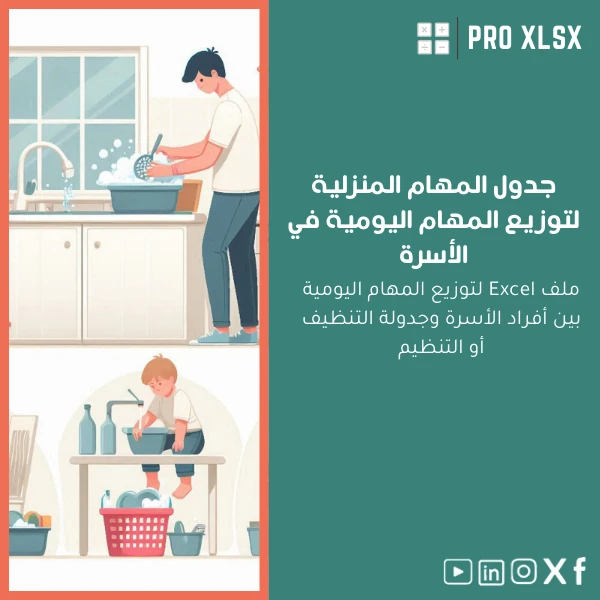
Household Tasks Schedule Template for Chores and Cleaning
Original price was: $18.63.$13.23Current price is: $13.23.
A professional, ready-to-use Household tasks schedule in Excel that lets accountants, data analysts and operations teams assign, track and report family chores or facility cleaning with the same precision they apply to financial models — includes automation, weekly summaries and easy customization.
Key benefits & value for the buyer
This Household tasks schedule template translates household chores into measurable tasks — the same way a finance team turns invoices into dashboards. It saves time, reduces disputes about responsibilities, and produces clear reports you can export or print. For analysts, the template provides clean, normalized tables ready for pivot tables, time-series analysis, or integration into a broader operations workbook.
Concrete outcomes you can expect
- Reduced coordination time: a single source of truth for who does what and when.
- Accountability: task completion status and history per member, with timestamps.
- Operational insight: weekly and monthly completion rates to identify bottlenecks or overloaded members.
- Scalable for teams: from a 2-person apartment to employee dormitory management for companies.
- Reusable logic: formulas and named ranges designed to be copied into other workbooks.
Use cases & real-life scenarios
1. Family home — weekly house cleaning schedule
Assign rooms and chores by day, set priorities (daily/weekly/monthly), and print a rotating roster for the fridge. Track completion rates to spot chores that consistently get skipped and reassign to balance load.
2. Accountants & busy professionals
Use the template to manage household help, log hours, and generate simple timesheets you can attach to petty-cash records. Export a summary to PDF for expense justification.
3. Companies & shared housing operations
Manage cleaning schedules for company-provided accommodation, shift cleaners across locations, and produce weekly compliance reports. The template’s structured data makes it easy to combine with financial ledgers or HR rosters.
Who is this product for?
While designed with household use in mind, this Household tasks schedule is particularly valuable for:
- Accountants and financial admins who want audited, printable task logs tied to expenses.
- Data analysts who need clean source tables for task-fulfillment analytics.
- HR or facilities teams managing dorms, shared housing or multiple units.
- Families and flatmates looking for a low-cost, flexible alternative to subscription apps.
How to choose the right version & adapt the template
The template ships as a single .xlsx file with optional VBA macros (separate sheet). Choose based on your comfort with macros:
- If you need automatic rotation and email reminders: enable macros and use the VBA-enabled sheet.
- If you prefer portability (no macros): use the formulas-only workbook — all scheduling and summaries still work.
- For bilingual teams: change column headers — the structure supports Arabic and English labels without breaking formulas.
Quick comparison with typical alternatives
Compared to task apps or manual paper rosters, this template offers:
- Complete local control of data — no subscription, no cloud lock-in.
- Better export and reporting options than mobile apps — ideal for accountants who need attachments for records.
- Faster customization and integration than generic SaaS when you already work in Excel.
Best practices & tips to get maximum value
- Normalize names: keep a master “Members” sheet to avoid duplicates and make reporting reliable.
- Use the built-in status codes (Pending, Done, Skipped) to feed pivot tables and trend charts.
- Archive monthly completed tasks to a “History” sheet to keep the working file lightweight.
- If distributing across a team, save a printable copy each week to avoid accidental edits to the master file.
- Need automation or data entry support? Order hourly customization from ProXlsx to add workflows or connect to your HR file.
Common mistakes when buying/using similar templates — and how to avoid them
- Buying a “one-size-fits-all” sheet: Look for templates that include named ranges and clear mapping so you can adapt fields without breaking logic — this template does.
- Ignoring backups: Always keep a dated backup; enable “Save As” before running macro-enabled features.
- Overcomplicating the roster: Start with minimal columns (Task, Assignee, Frequency, Status) and add metadata only when needed.
Product specifications
- Format: .xlsx (Excel workbook)
- Sheets included: Dashboard, Weekly Roster, Members, Tasks Master, History, Print Layouts
- Excel compatibility: Excel 2016 or newer (Windows & Mac). Macros optional — separate macro-enabled sheet included.
- Languages: Ready for English & Arabic headers (user-editable)
- Automation: Formula-driven summaries + optional VBA for rotation and simple reminders
- Delivery: Instant download after purchase + instructional PDF
- Support: 30-day email support for setup questions; hourly customization services available from ProXlsx
- Use notes: Keep one master file per home/location. Archive monthly to History to maintain performance.
Frequently asked questions
Is this template suitable for commercial housing (company dorms)?
Yes. The workbook is structured for multiple units: add a “Location” or “Unit” column in the Tasks Master, filter by location, and run weekly reports per unit. For larger deployments, we offer paid customization to integrate with HR rosters.
Do I need Excel macros enabled to use the template?
No. The core scheduling and reporting features work with formulas only. Macros are optional — they add rotation automation and simple reminders. A macros-free version is provided if you prefer not to enable VBA.
Can I get help customizing the template to my company’s format?
Yes. ProXlsx provides hourly implementation services (data entry, custom fields, VBA automation, dashboard integration). Contact support after purchase to request time-based work.
Will this integrate with our existing reporting systems?
The file outputs structured tables and CSV-friendly ranges that can be imported into ERP or reporting tools. For direct integration or API feeds we offer custom development on request.
Ready to organize chores with professional precision?
Download a tested household chores schedule template built for people who expect clean data and audit-ready reports. Instant delivery and optional customization from ProXlsx.
Need help before you buy? Contact ProXlsx for a short demo or request a customization quote — we provide hourly execution services for immediate setup.
Related products

Budget Planner Excel Template for Actual and Variance Analysis

Excel Journal Entries Template with Auto GL Mapping

Excel Template for Chart of Accounts for Various Industries

Financial Analysis Template for Key Financial Ratios in Excel

Interest Calculation Template for Excel with Cash Discounts
An Excel-ready interest calculation template that computes simple and compound interest, generates early‑payment cash discount schedules, and converts those results into clear reports and cashflow tables — built for accountants, data analysts, and finance teams who need reliable, fast answers without custom development.




Reviews
Clear filtersThere are no reviews yet.