




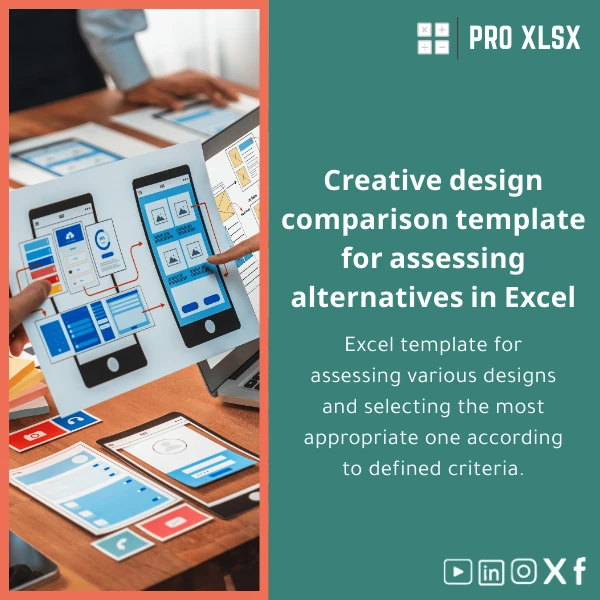
Creative Designs Comparison Template for Multi-Design Selection
Original price was: $37.53.$26.73Current price is: $26.73.
A structured Excel workbook that turns subjective design debates into objective, auditable decisions — score, rank and select the best creative options fast, with built-in weighting, sensitivity analysis and presentation-ready summaries.
Key benefits & value for your team
Designed for accountants, data analysts and operational teams who need defensible selections, the Creative designs comparison template converts qualitative judgments into quantitative results. Below are concise business outcomes you can expect.
Faster, defensible decisions
Replace lengthy email threads and subjective meetings with a single workbook that documents scores, weights and comments. Export the dashboard or embed charts into presentations for sign-off.
Audit-ready process
Every score and formula is visible and editable in Excel, making it easy to track changes, reproduce results and comply with procurement or audit requirements.
Cost-effective compared to custom systems
Get enterprise-grade decision tools without buying a BI tool or hiring a consultant. The template is a one-time download that integrates with your existing workflows.
Use cases & real-life scenarios
Examples of how teams use the template in practice:
- Marketing agency: Compare 6 logo concepts by brand fit, differentiation, scalability and application cost; present results to client with a ranked shortlist and recommended winner.
- Retail packaging: Score 10 packaging mockups by production cost, shelf impact, sustainability and supplier lead time to choose the best trade-off.
- Corporate rebrand: Run internal stakeholder scoring across departments, weight finance and legal higher, then show aggregated results to the board.
- Product team: Evaluate UI/UX mockups using usability test scores plus development effort for a balanced selection.
Who is this product for?
This Creative designs comparison template is tailored to:
- Accountants and financial controllers who need to justify vendor or concept selection with numbers.
- Data analysts who want a repeatable, auditable scoring model that integrates with existing reports.
- SMEs and corporations that require a low-cost tool to standardize design evaluation across projects.
- Design leads and project managers who need fast, presentable outputs for client or internal approvals.
How to choose the right variant
Templates vary by complexity and number of options. Choose based on:
- Number of design options: Standard (up to 12), Extended (up to 30), Enterprise (up to 50 + batch import).
- Scoring detail: Basic (1–5 scale), Advanced (custom scales per criterion with normalization).
- Automation: Use the VBA-enabled variant if you want macros for batch imports, chart refresh and export to PDF. Otherwise choose the macro-free version for strict IT policies.
- Language & regional settings: Switch currency, date formats and labels to your locale quickly — recommended for teams working in Arabic/Egyptian contexts.
Quick comparison with typical alternatives
Why this template often beats other approaches:
- Manual Word/PDF scoring: Hard to aggregate and audit. Template centralizes and automates totals and ranks.
- Surveys or forms: Good for raw opinions but lack weighting and sensitivity analysis — here you get both in one place.
- Custom software or agency consulting: Higher cost and setup time. The Excel template gives comparable rigor at a fraction of the cost and time.
Best practices & tips to get maximum value
- Define 5–8 clear criteria that matter most for the decision and document definitions for each to ensure consistent scoring.
- Assign weights with stakeholders present; use the template’s weight sensitivity chart to show impact of different weightings.
- Capture qualitative comments beside each score — numbers tell one story, comments explain exceptions.
- Protect the final scoring sheet and keep a versioned backup before major changes to preserve audit trail.
Common mistakes when buying or using comparison templates (and how to avoid them)
- Too many criteria: Dilutes focus. Stick to the most important 5–8 criteria.
- No weights: Treats all criteria equally when they are not. Use weights and test sensitivity.
- Not documenting judgments: Scores without context are hard to defend. Use the comments column.
- Choosing wrong variant: If you need macros for automation, choose the VBA-enabled version; for locked IT environments pick the macro-free file.
Product specifications
- Format: Excel workbook (.xlsx) — macro-free; optional .xlsm VBA variant available.
- Sheets included: Instructions, Criteria Library, Scoring Matrix, Weighted Summary, Sensitivity Analysis, Dashboard, Sample Data.
- Compatibility: Excel 2016 and later (Windows & Mac); basic functionality works in Excel Online (macros disabled).
- Options: Standard / Extended / Enterprise (select number of options during download).
- Language: English with editable labels for Arabic/localization.
- Delivery: Instant download after purchase + setup guide (PDF) and short video walkthrough.
- Support: Email support for installation and quick customization notes; hourly execution services available from ProXlsx for deeper customization.
Frequently asked questions
Is this template compatible with Excel 365 and Excel for Mac?
Yes. The macro-free .xlsx variant works in Excel 365 and Excel for Mac. If you buy the VBA-enabled version, macros run fully on Excel for Windows; Mac users can use the macro-free features and receive guidance on alternatives.
Can I change weights, add criteria or import my existing scores?
Absolutely. The template is fully editable: add/remove criteria, adjust weights and import scores via the sample data sheet. For bulk imports or custom connectors, the ProXlsx hourly service can automate the process.
How secure is my data when I use the template?
The template is a local Excel file — no data leaves your environment unless you export or share it. For teams that need cloud collaboration, we advise using your company’s secure file sharing (OneDrive/SharePoint) and following internal access controls.
What if I need customization or a bespoke scoring model?
ProXlsx offers hourly execution services to customize formulas, add macros, connect to your data sources or convert results into presentation-ready reports. Contact support after purchase or include a customization request during checkout.
Ready to remove guesswork from design selection?
Purchase the Creative designs comparison template today and start making objective, auditable selections in hours — not days. Includes setup guide and support options tailored for Egyptian companies and accounting/analysis teams.
Prefer customization? After purchase, request hourly customization from ProXlsx for fast delivery.
Related products

Excel Project Cost Estimation Template for Accurate Budgeting

Industrial Product Pricing Template for Target-Costing in Excel

Interest Calculation Template for Excel with Cash Discounts
An Excel-ready interest calculation template that computes simple and compound interest, generates early‑payment cash discount schedules, and converts those results into clear reports and cashflow tables — built for accountants, data analysts, and finance teams who need reliable, fast answers without custom development.





Reviews
Clear filtersThere are no reviews yet.