




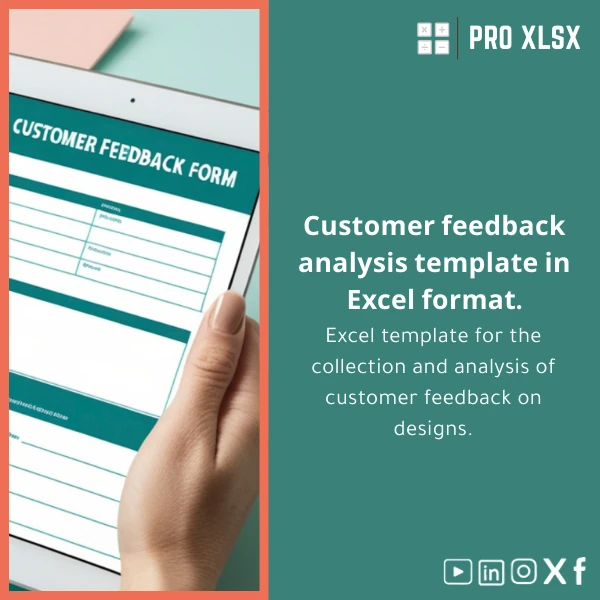
Client Feedback Analysis Template for Design Reviews
Original price was: $18.63.$13.23Current price is: $13.23.
Turn scattered client comments and review forms into precise, actionable insights with a ready-to-use client feedback analysis template in Excel — built for accountants, data analysts, and companies that need fast, auditable, and repeatable reporting from design reviews.
Key benefits & value for your team
This client feedback analysis template converts unstructured design feedback into measurable outcomes — so finance, operations, or design leadership can make informed decisions quickly. The template focuses on three measurable gains:
- Time savings: Reduce manual consolidation and cleaning by up to 80% using standardized fields and automated validation.
- Actionability: Turn comments into prioritized tasks with severity and cost-estimate fields to inform scope changes and invoices.
- Audit trail: Maintain dates, reviewer IDs, and version links in a single, exportable workbook for compliance and billing support.
Built for accountants and data analysts, the structure supports reconciliation to billing lines and links to project financials without extra formatting.
Use cases & real-life scenarios
Design agency — weekly sprint reviews
A mid-sized agency uses the template to log client feedback after each review meeting. Each entry includes design ID, page/screen number, feedback type (bug, suggestion, approval), priority, estimated hours, and sentiment score. The dashboard shows weekly change requests and cumulative estimated hours per client for fast scope decisions.
Corporate design + Finance — billable change tracking
An in-house design team links feedback items to project budgets. Accountants export the template’s summary to match billed hours and prevent disputes — all supported by timestamps and reviewer notes that form an auditable record.
Consultant — client satisfaction reporting
Consultants use the customer review analysis sheet to quantify subjective feedback (UX, aesthetics, usability) into KPI trends that are easy to present in monthly reports.
Who is this product for?
- Accountants who need clear links between feedback-driven change orders and invoices.
- Data analysts preparing dashboards from qualitative client comments.
- Design managers tracking defects, requests, approvals, and rework hours.
- Small to medium companies wanting a low-cost, Excel-based alternative to complex ticketing/BI systems.
How to choose the right template version
We provide two main delivery options so you pick the balance between speed and automation:
- Standard (XLSX): Clean sheets, formulas, pivot-ready tables, and a pre-built dashboard. No macros — compatible with Excel for Windows & Mac and Excel Online.
- Pro (XLSM + Dashboard): Includes VBA automation for import/cleanup, one-click pivot refresh, and export routines. Recommended if you handle large batches or want automated workflows.
If you need custom fields or integrations (e.g., linking to Airtable, Google Sheets, or your accounting software), ProXlsx offers hourly implementation services to adapt the template to your exact process.
Quick comparison with typical alternatives
Consider these trade-offs when comparing the Client feedback analysis template to other approaches:
- Manual Word/Notes: Fast to start but time-consuming to aggregate; high error risk.
- Ticketing systems: Great for workflows but often expensive and heavier than necessary for design reviews.
- BI tools: Powerful for visualization but require data pipelines and licensing costs.
The Excel template sits in the middle: low-cost, immediately usable, and familiar to accountants and analysts — while remaining robust enough to export to BI or accounting systems if needed.
Best practices & tips to get maximum value
- Standardize incoming feedback: use a short intake form that maps directly to template fields.
- Use the priority and estimated-hours fields for true cost visibility.
- Keep one source of truth: import session logs into the master workbook to avoid duplicate entries.
- Schedule a weekly pivot refresh and short review meeting to close loops and convert feedback to tasks.
- If using VBA, keep macros signed and maintain a backup before running mass imports.
Common mistakes when buying or using feedback templates — and how to avoid them
- No structure: Collecting free text without taxonomy leads to unusable datasets. Solution: use the template fields and tags.
- Over-automation: Blindly trusting macros without validation can overwrite data. Solution: test on copies and use the ProXlsx optional setup service.
- Missing links to finance: Feedback that isn’t linked to job codes or invoices creates billing gaps. Solution: fill the project/code fields and export summaries for accountants.
Product specifications
- Product: Client Feedback Analysis Template for Design Reviews (digital download)
- Formats included: XLSX (Standard) and XLSM (Pro with macros)
- Sheets included: Raw Input, Cleaned Data, Scoring, Pivot Tables, Visual Dashboard, Change Log
- Compatibility: Excel 2016+, Excel for Microsoft 365; limited functionality on Excel Online for macros
- Language: English (labels editable)
- Support: 30-day email support + optional hourly customization service
- License: Single-user commercial license (team/multi-site licenses available on request)
Frequently asked questions
Is this template compatible with Excel for Mac and Windows?
Yes. The XLSX standard version works in Excel for Windows and Mac. If you choose the XLSM (Pro) with macros, macros will run on Windows and on newer Mac versions that support VBA. If you rely on Excel Online, choose the standard version without macros.
Can I link template outputs to my accounting system?
Yes — the template is designed to export clean CSV/PDF summaries. We also offer hourly implementation services to build direct export or mapping routines for popular accounting systems.
How secure is customer data in the template?
The file is a local Excel workbook — data stays on your machine or company storage. For additional security, you can password-protect the workbook, or request ProXlsx to deliver an encrypted workbook and retention recommendations.
What if I need extra fields or a custom dashboard?
We offer paid hourly customization to add fields, change scoring logic, and build tailored dashboards. Custom work is quoted per request and delivered as a modified workbook.
Ready to stop guessing and start tracking?
Get the Client feedback analysis template today and convert your design review comments into billable, auditable actions. If you prefer hands-off setup, choose the Pro version or hire our hourly service for fast customization.
Need help choosing? Contact ProXlsx for recommendations and a quick demo of how the template will fit your workflows.








Reviews
Clear filtersThere are no reviews yet.