




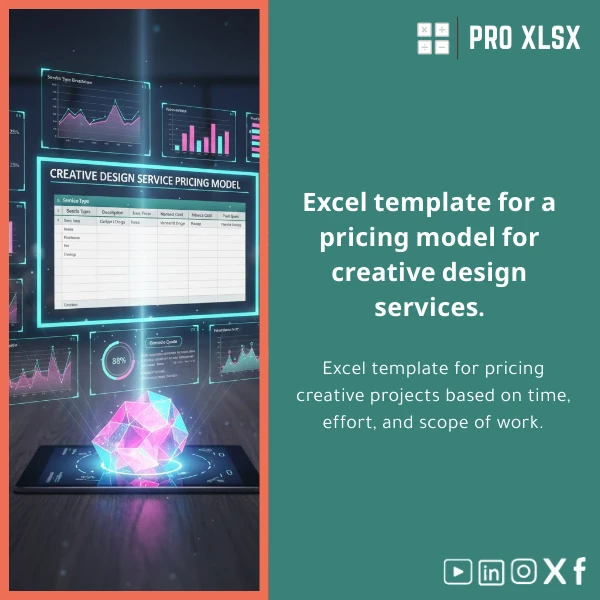
Creative Project Pricing Template for Design Services
Original price was: $42.93.$32.13Current price is: $32.13.
A ready-to-use Excel solution to calculate accurate quotes for creative projects: balance time, effort, and scope with built-in rate calculators, scope-based pricing models, and downloadable worksheets designed for accountants, data analysts, and companies that manage design budgets.
Key benefits & value for accountants, analysts, and agencies
This design services pricing template converts subjective estimates into transparent, repeatable quotes. It is built for teams who need defensible pricing and accountants who must reconcile project revenues with time logs and overhead allocation.
Features translated into business outcomes
- Rate & margin controls: Apply multiple rate tables (senior/junior/internal) and see gross margin impact instantly — faster, safer pricing decisions.
- Scope-driven templates: Choose between fixed-price, time-and-materials, or blended pricing to match client expectations and contract risk.
- Freelance design rate calculator: A dedicated sheet to compute effective hourly rates accounting for non-billable hours and overhead — ideal for freelancers and small studios.
- Audit-ready reporting: Pre-built revenue and cost summaries allow accountants to import figures into financial statements with minimal cleanup.
- Automation and exports: VBA scripts generate client-facing PDFs and batch quotes — saves hours when preparing multiple proposals.
Use cases & real-life scenarios
Concrete examples of how teams use the template:
Scenario 1 — Agency quoting for retainer + project work
Estimate monthly retainer fees by modeling resource allocation (FTE%), apply volume discounts, and produce a consolidated quote with milestone payments and acceptance criteria.
Scenario 2 — Freelance designer setting effective rates
Calculate a sustainable hourly rate using the freelance design rate calculator sheet that factors in desired salary, business costs, and realistic billable utilization.
Scenario 3 — Accountant reconciling project profitability
Import billed hours and expenses to validate project margins; generate variance reports between estimated and actual costs to improve future pricing accuracy.
Who is this product for?
- Design agencies that need consistent, audit-friendly pricing across teams.
- Freelance designers who want a professional grade, repeatable quote process.
- Accountants and financial controllers consolidating project costs and revenue recognition.
- Data analysts and operations teams automating quotation workflows with Excel/VBA.
How to choose the right template & license
Template variants are functionally the same; choose based on intended use:
- Single-user license: Best if you’re a freelancer or single-accountant practice.
- Team license: Use this when multiple users will edit or publish quotes — includes version control tips.
- Custom delivery (hourly): If you need branding, custom columns, or integration with your time tracking tool, order our per-hour customization service.
Not sure which license? Contact ProXlsx for a short consultation — we help pick the right option based on your invoicing and reporting needs.
Quick comparison with typical alternatives
Most teams choose between three options: manual spreadsheets, generic cloud tools, or specialized Excel templates.
- Manual spreadsheets: Cheap but inconsistent and error-prone — our template adds checks and structured inputs to reduce risk.
- Generic cloud tools: Good for collaboration but often rigid and expensive — our Excel template provides flexibility and full control of formulas and reports.
- Specialized templates: Offers the best balance: value, local support (Arabic/English), and the ability to customize without replacing core systems.
Best practices & tips to get maximum value
- Start by entering realistic utilization and overhead numbers — the outputs are only as accurate as inputs.
- Use the scenario tool to compare fixed-price vs time-and-materials before you present a proposal.
- Keep a small change log when you adjust rates or scope — this makes later audits effortless.
- If you sell multiple packages, create a single master file and duplicate project sheets per client to preserve consistency.
- Consider the hourly customization service to map the template to your accounting chart of accounts for smooth month-end reconciliation.
Common mistakes when buying or using pricing templates — and how to avoid them
- Mistake: Using default rates without checking local costs. Fix: Update rate tables to reflect your salary and overhead structure.
- Mistake: Not documenting scope assumptions. Fix: Use the included scope checklist page to append to every client quote.
- Mistake: Overcomplicating automation. Fix: Start with the basic workbook; add VBA steps only when you consistently repeat tasks.
Product specifications
- File format: .xlsx (compatible with Excel 2016+, Office 365; macros included in separate .xlsm where required)
- Sheets included: Rate tables, Project estimator, Scope checklist, Freelance rate calculator, Client proposal export, Profitability dashboard
- Automation: Optional VBA macros for PDF export and batch quote generation
- Languages: English (template uses standard English labels; customization to Arabic available as a paid service)
- Delivery: Immediate download after purchase + optional hourly customization by ProXlsx
- Support: Documentation + email support for installation and basic questions
FAQ
Can I use this template with Arabic labels or Egyptian tax rules?
Yes. The template ships in English, but ProXlsx offers paid hourly customization to localize labels, add VAT calculation, or adapt reporting to Egyptian accounting practices. Contact us for an estimate.
Does the file include macros and is it safe to enable them?
There is an optional .xlsm version with VBA to automate exports and recurring tasks. Macros are limited to file operations within Excel and do not access external networks. We provide instructions and a checklist before enabling macros.
What if I need integration with time-tracking or invoicing software?
We can map the template to your time-tracking exports or build a simple import/export routine (hourly service). Many clients use the template as a staging file to reconcile hours before bulk invoicing.
Is there a refund or sample to test before buying?
ProXlsx provides a limited preview and screenshots. Because this is a digital downloadable product, refunds are handled case-by-case. Contact support if the template does not meet your stated requirements and we will work toward a resolution or customization.
Ready to price projects with confidence?
Download the Creative Project Pricing Template for Design Services and start producing consistent, defensible quotes today. If you need custom fields, Arabic labels, or integration with your accounting system, add our per-hour customization service during checkout.
Related products

Budget Planner Excel Template for Actual and Variance Analysis

Customers Suppliers Tracking Template for Excel Invoices and Payments

Excel Journal Entries Template with Auto GL Mapping

Excel Template for Chart of Accounts for Various Industries

Expense Control Template for Tracking Expenses in Excel

Industrial Product Pricing Template for Target-Costing in Excel

Interest Calculation Template for Excel with Cash Discounts
An Excel-ready interest calculation template that computes simple and compound interest, generates early‑payment cash discount schedules, and converts those results into clear reports and cashflow tables — built for accountants, data analysts, and finance teams who need reliable, fast answers without custom development.


Reviews
Clear filtersThere are no reviews yet.