



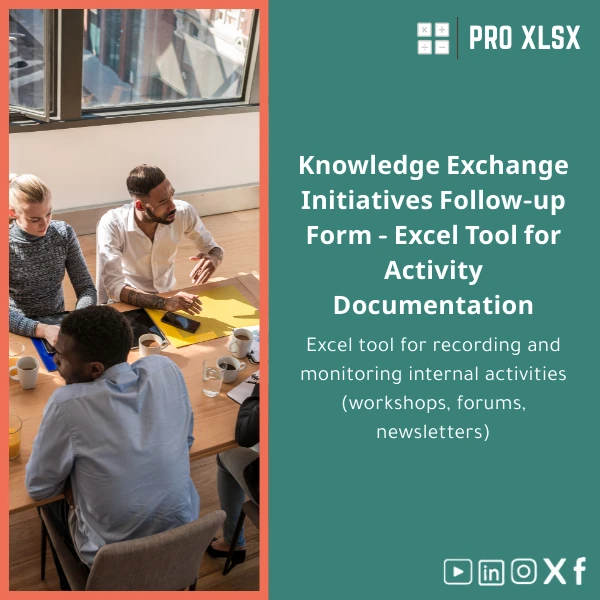
Knowledge-Sharing Initiatives Template for Tracking Internal KM Activities
Original price was: $37.53.$26.73Current price is: $26.73.
Internal KM Activities — Workshops, forums, and bulletins tracker built in Excel to give accountants, data analysts, and KM teams a
single, auditable register of knowledge-sharing initiatives with ownership, status, attendance and outcome tracking.
Key benefits & value for the buyer
This Knowledge-Sharing Initiatives Template converts ad-hoc communications into measurable KM activity. For accountants and data analysts,
it reduces the time spent piecing together schedules and attendance logs. For managers, it shows who is sharing knowledge, which topics are
covered, and what follow-ups remain outstanding — all in a format ready for internal reporting or audit.
Benefits translated from features
- Structured inputs → accurate reporting: Pre-defined columns (owner, type, audience, objectives, outcome) eliminate inconsistent entries.
- Dashboard-ready layout → faster insights: Clean pivot-ready tables enable instant summary of events by department, status or impact.
- Ownership & reminders → accountability: Track responsible individuals and next steps to ensure knowledge gets embedded.
- Compact file → low cost & easy sharing: No heavy systems required — a single Excel file that lives on a shared drive or cloud folder.
Use cases & real-life scenarios
Examples of how teams use the template to get measurable KM outcomes:
- Finance department: Track monthly “lessons learned” workshops and link each session to control improvements and audit follow-ups.
- HR & L&D: Manage internal training forums, attendance, and post-session materials distribution without multiple spreadsheets.
- Operations & QA: Maintain a register of process improvement knowledge transfers and measure adoption through follow-up actions.
- Small consultancy: Use the template to provide clients with a concise knowledge transfer log during handovers and close-out reports.
Who is this product for?
The template is designed for accountants, data analysts, KM practitioners, compliance teams and small-to-medium companies that require a practical,
Excel-based knowledge sharing tracker without introducing new systems. If you run internal workshops, maintain bulletin series, or run subject-matter
forums — this template reduces admin and increases traceability.
How to choose the right version
We offer flexible delivery and add-ons so you pick what matches your capacity and budget:
- Standard Excel template (recommended): Ready-to-use workbook with sample data, documentation and a simple dashboard. Use it if you want immediate deployment.
- Macro-enabled version (VBA) for automation: Adds automated reminders, export buttons and one-click reports. Choose this if you need recurring automation.
- Custom implementation (hourly service): ProXlsx offers hourly customization to localize language, adapt fields, or link to your internal databases.
Compatibility note: Standard template works on Excel 2016+, Excel for Microsoft 365. Macro features require desktop Excel (Windows or Mac with macros enabled).
Quick comparison with typical alternatives
Compared with ad-hoc spreadsheets or lightweight online forms, the Knowledge-Sharing Initiatives Template gives structure, ready-to-report data and
built-in monitoring without the cost and complexity of enterprise KM systems. Versus a full KM platform, the template is faster to deploy and far more
affordable for teams that only need internal tracking and simple dashboards.
Best practices & tips to get maximum value
- Standardize entry rules: Provide a one-page instruction to contributors so event naming and audience fields stay consistent.
- Schedule a weekly review: Have a KM owner review new entries and update statuses to keep the register current.
- Use filters and pivots: Export quick summaries for management meetings using the built-in pivot-ready layout.
- Combine with simple KPIs: Track number of events, percentage with follow-ups closed, and attendee reach per department.
Common mistakes when buying or using similar templates — and how to avoid them
- Buying an overcomplicated tool: Avoid templates that have unnecessary features you won’t use — pick the version that matches your workflows.
- Not defining ownership: If no one updates the tracker, it becomes stale. Assign a KM coordinator and define update frequency.
- Ignoring backups and version control: Keep copies or use cloud versioning to maintain an audit trail and avoid accidental data loss.
- Expecting full automation immediately: Use simple automation (macros) for recurring tasks, but plan for one-off manual checks during the first month.
Product specifications
- Format: Microsoft Excel workbook (.xlsx). Macro-enabled version available (.xlsm).
- Compatibility: Excel 2016+, Excel for Microsoft 365 (desktop recommended for macros).
- Included: Sample dataset, user guide (one page), pivot-ready register, simple dashboard and status flags.
- Language: English. Custom localization to Arabic or company terms available via hourly service.
- Delivery: Instant download after purchase. Customization and hourly services scheduled on request.
- Support: Email support for installation and basic usage; paid customization available.
- Use limits: Unlimited records; performance depends on Excel and system resources.
Frequently asked questions
Is this template suitable for small teams and large departments?
Yes. The template is designed to scale: small teams can use the workbook as-is; larger departments can split by sheet or use filters and pivots for performance. For very large datasets, we offer guidance to optimize workbook performance or a customized implementation.
Does the macro version work on Excel for Mac and Excel Online?
Macro-enabled features work on desktop Excel for Windows and recent Excel for Mac versions that support macros. Excel Online does not run VBA macros — use the standard .xlsx template for online editing, or run macros on the desktop version.
Can you customize fields to match our internal taxonomy?
Yes. ProXlsx provides hourly customization services to rename fields, add columns, localize labels, or build simple integrations with CSV exports. Contact us to scope the work and receive a time-based quote.
What about data security and sharing?
The workbook is a local file; store it on your secure shared drive or cloud folder subject to your organization’s access controls. For sensitivity, restrict access and use version history in your cloud service.
Ready to centralize your KM activities?
Download a practical, audit-ready Knowledge-Sharing Initiatives Template and start tracking workshops, forums and bulletins with clear ownership and measurable outcomes.
If you need localization or automation, ProXlsx can implement changes by the hour.
Instant download. Includes sample data, user guide and optional hourly customization. Secure payment and post-purchase support from ProXlsx.
Related products

Break-Even Analysis Template for Cost and Profit Estimation
A ready-to-use Break-Even Analysis template in Excel to calculate the sales volume needed to cover costs, model profit scenarios, and produce clear management-ready charts and a margin of safety calculator. Designed for accountants, analysts, and companies who need fast, reliable decision support without complex systems.







Reviews
Clear filtersThere are no reviews yet.