




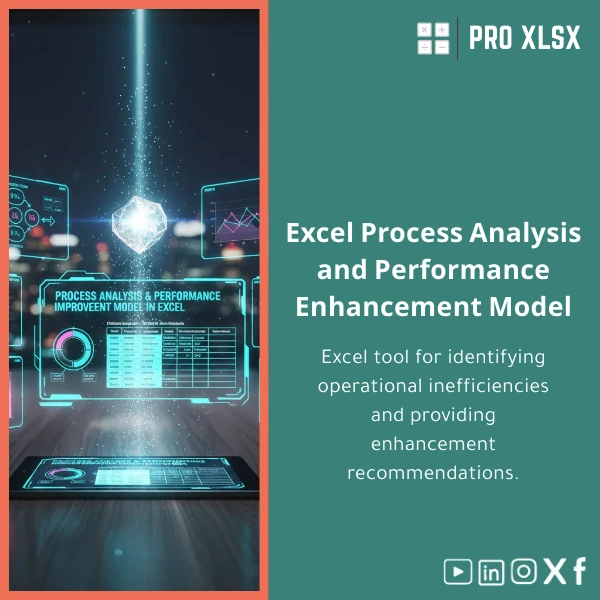
Process Improvement Template for Analyzing Operational Bottlenecks
Original price was: $94.23.$75.33Current price is: $75.33.
A ready-to-use process improvement template in Excel that helps accountants, data analysts and business teams quickly map workflows, measure cycle times, identify operational bottlenecks and document clear, prioritized improvement recommendations — without heavy software or long consulting engagements.
Key benefits & value for your team
The process improvement template converts raw operational or financial logs into measurable insights. Rather than guessing where delays happen, you get:
- Clear bottleneck identification: Visual charts and tables highlight stages with high queue times or low throughput.
- Quantified impact: Estimates of time and cost impact for each bottleneck so you can prioritize actions based on ROI.
- Standardized reporting: Ready slides and one-page executive summaries that accountants and managers can include in monthly reports.
- Low learning curve: Uses native Excel functions and optional VBA automation to speed repetitive tasks — no extra software license required.
These benefits reduce time spent on manual reconciliation and let teams focus on implementing improvements that produce measurable gains.
Use cases & real-life scenarios
Monthly accounting close — reduce delays
Import timestamped approval logs from your ERP and identify which approval steps consistently extend the close cycle. The template shows which approvers cause the most delay and recommends workload balancing or process re-sequencing.
Purchase-to-pay (P2P) cycle review
Use the Excel process improvement sheet to calculate vendor invoice lead times, match exceptions, and the cost of manual follow-up. Generate a prioritized improvement plan (e.g., automated three-way match, supplier portal).
Operational teams: warehouse or service centers
For operations, feed in pick/pack/dispatch logs to measure throughput per station, detect capacity constraints, and test “what-if” staffing scenarios instantly.
Who is this product for?
This template is built for professionals who need fast, practical results without heavy consulting:
- Accountants and auditors performing process walkthroughs and control testing.
- Data analysts building process analysis template outputs for management dashboards.
- Operations managers and SMEs conducting business process reviews.
- Consultants and trainers who need a clear deliverable to show clients.
How to choose the right version
There are two straightforward options depending on your skills and urgency:
- Download-only template — For teams comfortable with Excel who want immediate access to the process analysis template. Includes sample data, instructions, and no-VBA option.
- Template + hourly implementation — ProXlsx offers pay-as-you-go execution (data import, configuration, and a short walkthrough). Ideal if you prefer a fast, hands-off setup or have complex data sources.
Choose download if you want speed and control; choose implementation service if you want guaranteed results with minimal internal effort.
Quick comparison with typical alternatives
When teams evaluate options they typically consider bespoke consulting, generic project management tools, or buying templates. Compared to those:
- Vs. bespoke consulting: Faster and far cheaper — you get repeatable tools you can use again without waiting for a consultant’s schedule.
- Vs. generic PM tools: Built specifically for operational measurement (cycle time, wait time, throughput) and requires no new licenses.
- Vs. free templates: This template includes guided KPIs, improvement checklists and optional VBA automation tailored for financial/operational datasets common in Egyptian companies and regional accounting workflows.
Best practices & tips to get maximum value
- Start with a small, well-scoped process (e.g., invoice approval) and a month of data — quick wins build momentum.
- Use the sample mapping sheet to standardize stage names before importing real data.
- Enable the optional macros only if you trust the workbook’s source — macros automate repetitive mapping and chart refreshes.
- Pair the template with a short training session (available hourly from ProXlsx) to ensure consistent use across teams.
Common mistakes when buying/using process templates — and how to avoid them
- Buying a generic file that needs heavy rework: Use templates that include mapping tools and sample data — this one does.
- Importing inconsistent timestamps: Clean date/time formats before analysis — ProXlsx can assist during setup.
- Expecting a “silver bullet”: Templates surface problems and quantify impact, but improvements require operational decisions and follow-through.
Product specifications
- Format: .xlsx (Excel workbook)
- Sheets included: Data Import, Process Map, KPI Dashboard, Bottleneck Analysis, Improvement Plan, Sample Data, User Guide
- Compatibility: Excel 2016+ (Windows and Mac). Optional macros require Excel desktop (Windows/Mac).
- Language: English (workbook labels) with guidance for regional settings (date/time) — local support available.
- Delivery: Instant download after purchase + optional hourly setup service from ProXlsx team.
- Editable: Fully editable formulas, charts and improvement plan templates.
Frequently asked questions
Can I use the template with CSV exports from our ERP?
Do I need advanced Excel skills or VBA to use it?
How quickly will I see results after purchase?
What if the template doesn’t match our process exactly?
Ready to start identifying bottlenecks and improving operations?
Purchase the template now and get immediate access to a structured process analysis template built for accountants, data analysts and operations teams. Add hourly setup if you want ProXlsx to configure it with your data.
Need customization or help importing data? Choose the hourly implementation add-on during checkout or contact ProXlsx support for a short consultation.
Related products

Budget Planner Excel Template for Actual and Variance Analysis

Comprehensive Accounting Program in Excel Template

Excel Journal Entries Template with Auto GL Mapping

Excel Project Cost Estimation Template for Accurate Budgeting

Interest Calculation Template for Excel with Cash Discounts
An Excel-ready interest calculation template that computes simple and compound interest, generates early‑payment cash discount schedules, and converts those results into clear reports and cashflow tables — built for accountants, data analysts, and finance teams who need reliable, fast answers without custom development.




Reviews
Clear filtersThere are no reviews yet.