


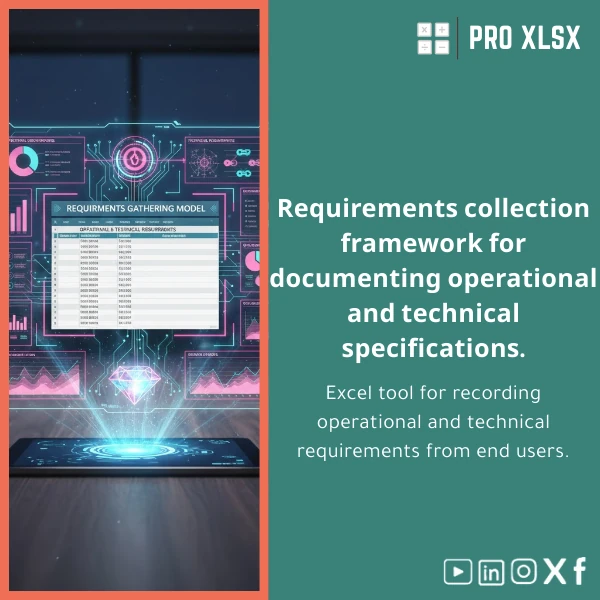
Requirements Gathering Sheet Template for Business Analysis
Original price was: $37.53.$26.73Current price is: $26.73.
A ready-to-use Excel register for capturing end‑user operational and technical requirements — structured, auditable, and easy to integrate with your financial and operational models.
Key benefits & value for accountants, analysts and managers
The Requirements Gathering Sheet is designed to cut time spent on discovery, standardize stakeholder input, and improve hand‑offs to development, IT or external vendors. Translate messy emails and chats into a single source of truth that feeds directly into budgeting, controls and operational planning.
Benefit highlights
- Faster scoping — capture functional and technical requirements consistently so estimations and cost models are more accurate.
- Better compliance — built-in traceability and version comments help satisfy internal audit and external regulators.
- Cleaner data — columns formatted for analysis reduce time spent cleaning inputs before creating dashboards or reports.
- Immediate ROI — fewer clarification rounds with requestors and faster UAT because acceptance criteria are captured up front.
Use cases & real-life scenarios
Below are practical examples of how teams use the Requirements Gathering Sheet in daily work:
Example 1 — Finance system change
An accountant preparing a new month‑end automation collects requirements from receivables, IT and finance operations. Using the sheet they record functional steps, required outputs for reconciliation, and non‑functional constraints (runtime, security). The analyst exports a pivot to estimate development hours and link to budget lines.
Example 2 — Internal control remediation
Internal audit uses the template to log control weaknesses, desired outcomes, and approval evidence. The record becomes part of the remediation tracker and links to control owners for validation.
Example 3 — Vendor onboarding
Procurement asks business units to complete the end user requirements form. Consistent fields simplify scoring and make vendor comparisons objective.
Who is this product for?
This Requirements Gathering Sheet is built for:
- Accountants and financial analysts who need clear functional requirements for process automation and ERP changes.
- Business analysts and data teams conducting business requirements gathering (Excel) before dashboarding or ETL work.
- Small and medium Egyptian companies that prefer Excel‑based tools to complex project management systems.
- Consultants and auditors who require consistent, auditable records of user requirements and acceptance criteria.
How to choose the right version
We offer the template in two practical variants — select depending on your needs:
- Basic (single sheet): For straightforward captures and quick sharing — best when you need an end user requirements form to circulate by email.
- Professional (multi-sheet with dashboard): Adds a requirements log, traceability register, status dashboard and pre-built pivot tables for analysis.
If you require automation (email notifications, approval flows) select the Professional option and request the optional hourly implementation service from ProXlsx.
Quick comparison with typical alternatives
How the Requirements Gathering Sheet compares to common approaches:
- Free text emails / Word docs — faster to deploy than long email chains and provides structured fields for analysis.
- Complex project management tools — lower cost and zero implementation overhead; ideal for teams not ready for enterprise systems.
- Custom-built databases — immediate use and exportable to databases when the project scales.
Best practices & tips to get maximum value
- Define a single owner per requirement row to avoid duplicated follow-ups.
- Use the “Acceptance criteria” column as the definition of done during UAT.
- Link requirement IDs to change requests or budget items for traceability.
- Export the sheet to CSV before importing into BI tools to preserve formatting for pivot-ready analysis.
- Use the optional ProXlsx hourly service to automate status updates and email notifications via VBA if you expect many requests.
Common mistakes when buying/using requirement templates and how to avoid them
- Mistake: Using free-form text fields only. Fix: Enforce key structured fields (priority, owner, acceptance) to make analysis possible.
- Mistake: Not versioning the sheet. Fix: Use the built-in version comments column and save dated copies.
- Mistake: Selecting a template without considering integration. Fix: Choose the Professional variant or request ProXlsx integration services.
Product specifications
- Product name: Requirements Gathering Sheet Template (Excel)
- Formats: .xlsx (Excel 2010 and later), compatible with Excel for Office 365
- Sheets included: Basic template (1 sheet), Professional pack (Requirements Log, Traceability, Dashboard)
- Pre-formatted columns: Requestor, Department, Request Date, Priority, Functional Requirement, Technical Requirement, Acceptance Criteria, Status, Owner, Estimated Effort, Version Notes
- Customizable: Yes — fields and validation are unlocked for editing
- Support: Basic instructions included; optional hourly implementation and customization by ProXlsx
- Delivery: Instant download after purchase
Frequently asked questions
Is this Requirements Gathering Sheet compatible with my version of Excel?
Yes. The template is saved as .xlsx and is compatible with Excel 2010, 2013, 2016, 2019 and Office 365 on Windows and Mac. Some VBA automation features in the Professional pack require Windows Excel for full functionality.
Can I customize fields or add columns specific to my business?
Absolutely. All fields are editable. If you prefer to have a bespoke version built to your specification, ProXlsx offers hourly customization services to modify layout, add validations, or implement VBA automation.
How does this template help with audits and compliance?
The sheet includes version notes, owner assignment and status history fields to provide an auditable trail of who requested changes, when requirements were updated and what the acceptance criteria were. Use the traceability sheet in the Professional pack to link requirements to test cases or control IDs.
What if I need help importing the sheet into our BI tool?
ProXlsx offers short hourly engagements for tasks like CSV export, pivot setup, or preparing the sheet for import into Power BI or other tools. Contact our services team after purchase for a quote.
Ready to standardize your requirements capture?
Download a professional Requirements Gathering Sheet and reduce ambiguity in every project phase — from scoping to delivery. Instant download, editable fields and optional implementation support from ProXlsx.
Prefer customization or hourly implementation? After purchase use the support link to request ProXlsx hourly services for automation, integration or training.
Related products

Break-Even Analysis Template for Cost and Profit Estimation
A ready-to-use Break-Even Analysis template in Excel to calculate the sales volume needed to cover costs, model profit scenarios, and produce clear management-ready charts and a margin of safety calculator. Designed for accountants, analysts, and companies who need fast, reliable decision support without complex systems.

Customers Suppliers Tracking Template for Excel Invoices and Payments

Excel Bank Reconciliation Template for Accurate Financial Tracking

Excel Fixed Assets Management Template with Auto Depreciation

Excel Journal Entries Template with Auto GL Mapping

Financial Statements Template for Easy Preparation of BS, P&L & Cash Flows

Interest Calculation Template for Excel with Cash Discounts
An Excel-ready interest calculation template that computes simple and compound interest, generates early‑payment cash discount schedules, and converts those results into clear reports and cashflow tables — built for accountants, data analysts, and finance teams who need reliable, fast answers without custom development.


Reviews
Clear filtersThere are no reviews yet.