


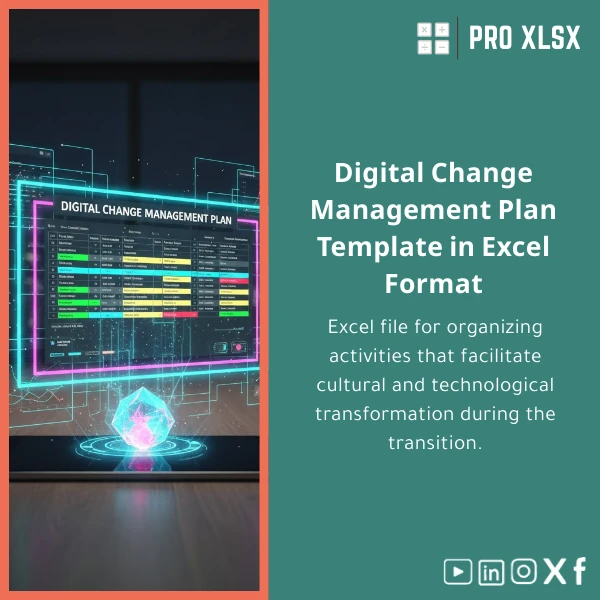
Digital Change Management Plan Guide for Culture & Tech Transformation
Original price was: $42.93.$32.13Current price is: $32.13.
A ready-to-use Digital Change Management Plan in Excel that structures culture & technology change support activities — stakeholder mapping, communication, training, KPI dashboards and milestone tracking — built for accountants, data analysts and Egyptian companies that need practical, fast, and measurable transformation tools.
Key benefits & value for your organisation
More than a spreadsheet, this Digital Change Management Plan is an operational toolkit that converts strategy into repeatable execution. It helps you:
Transform inputs into measurable outcomes
Map culture and technology changes to clear KPIs — reduce ambiguity for finance and operations teams and create an auditable trail of actions and approvals.
Reduce time-to-decision
Prebuilt dashboards and filters let managers see status by department, owner, or risk level in seconds — no need to assemble manual reports.
Lower implementation cost
Use the change management plan Excel template to avoid lengthy consultancy engagements. If you need tailored work, ProXlsx offers hourly execution services to adapt the workbook to your processes.
Use cases & real-life scenarios
Scenario 1 — ERP roll-out for a mid-size company
Accountants use the template to plan cutover activities, map system owners, and align training schedules with month-end closing. The budget tracker keeps the finance sponsor updated on licensing and consultancy costs.
Scenario 2 — Culture shift to data-driven reporting
HR and analytics teams manage communications, readiness assessments and coaching sessions, while the KPI dashboard demonstrates adoption improvements tied to report consumption and data quality metrics.
Scenario 3 — Regulatory change affecting processes
Internal audit and compliance use the RACI and task-tracker to assign responsibilities, evidence compliance steps, and produce status snapshots for executive reporting.
Who is this product for?
This Digital Change Management Plan is built for:
- Accountants and financial controllers coordinating process changes during system implementations.
- Data analysts creating adoption metrics and dashboards to track behavioural change.
- SMEs and departments in Egyptian companies that need a fast, low-cost way to manage culture & technology transformations.
- Consultants seeking a repeatable change plan template to deliver consistent client outcomes.
How to choose the right version
Choose based on your level of customization and automation needs:
- Basic template (Excel): Ready-to-use, no macros, ideal if you require simple trackers and standard dashboards.
- Macro-enabled version: Includes small VBA routines for report generation and status emails — choose this if you want automation inside Excel.
- Customisation by hour: ProXlsx team adapts fields, adds local language labels, or integrates your data sources (CSV, SQL) when you need a tailored solution.
Quick comparison with typical alternatives
Why pick this change management plan over spreadsheets assembled in-house or expensive change-management software?
- Versus ad-hoc spreadsheets: Structured templates reduce errors, enforce data validation and deliver instant dashboards — no hidden formulas spread across files.
- Versus enterprise tools: Lower cost, faster setup, familiar Excel interface — ideal when you need a practical operating plan without procurement cycles.
- Versus hiring external consultants: Get the framework immediately and use hourly expert services only where you need them, controlling cost and scope.
Best practices & tips to get maximum value
- Start with stakeholder mapping: list roles and influence to prioritise communications.
- Set measurable adoption KPIs and link them to specific training events in the workbook.
- Use the Gantt to visualise dependencies — delaying one training session should automatically flag affected milestones.
- Export monthly status snapshots for the steering committee — templates include presentation-ready tables.
- If you’re short on time, request a ProXlsx hourly setup to prefill sheets and connect your data sources.
Common mistakes when buying or using change management templates — and how to avoid them
- Mistake: Buying a generic template that doesn’t match your governance.
Fix: Use the template’s editable RACI and policy fields to mirror your organisation’s decision model, or order a short customisation session. - Mistake: Expecting software-level automation from a standard workbook.
Fix: Choose the macro-enabled version or book hourly automation services for email/reporting routines. - Mistake: No ownership assigned, leading to stalled actions.
Fix: Use the built-in owner escalation rules and regular status exports to keep accountability visible.
Product specifications
- Product type: Digital Change Management Plan (Excel workbook)
- Files included: .xlsx (standard) and optional .xlsm (macro-enabled)
- Sheets: Dashboard, Stakeholders & RACI, Communications Plan, Training Schedule, Gantt Timeline, Budget & Resource Tracker, KPI Dashboard, Change Readiness
- Compatibility: Microsoft Excel 2016+, Office 365; limited functionality on Excel for Mac (macros require .xlsm)
- Language: English (easy to relabel for Arabic/local usage)
- Delivery: Instant download after purchase; customisation available hourly by ProXlsx team
- Usage notes: Editable formulas, protected structure on key formulas to prevent accidental changes (unlockable on request)
Frequently asked questions
Is this a customizable digital change management template?
Yes. The workbook is editable. If you need faster or deeper changes (adding integrations, custom reports, Arabic labels), ProXlsx offers paid hourly services to adapt the template to your exact processes.
Will this work for a finance-led transformation?
Absolutely — the template includes budget & resource trackers and controls designed for accountants and finance teams, plus audit-friendly evidence tables for governance reviews.
Do I need the macro-enabled version?
If you want automated report exports or email notifications from Excel, choose the .xlsm macro-enabled version. If you prefer no macros for security reasons, the standard .xlsx provides full manual functionality.
How soon can I start using the plan after purchase?
Immediate download after purchase. Typical setup — populate stakeholders and key milestones — takes 1–3 hours. If you prefer, purchase a short setup session from ProXlsx to prefill and validate the workbook.
Ready to make change measurable and manageable?
Get the Digital Change Management Plan today and start tracking culture and technology initiatives with clarity. For tailored adaptations, our hourly execution services are available to implement the plan in your environment quickly.
Prefer a custom setup? Contact ProXlsx after purchase or request an hourly implementation to have the template configured for your processes.





Reviews
Clear filtersThere are no reviews yet.