




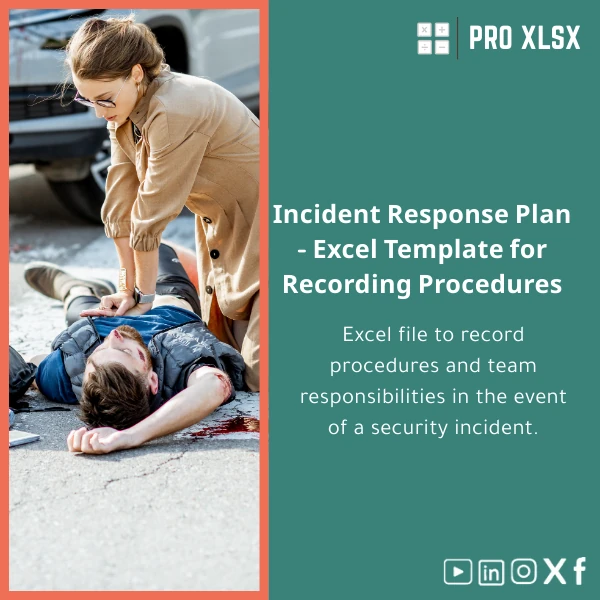
Incident Response Plan Template for Roles and Procedures
Original price was: $37.53.$26.73Current price is: $26.73.
A practical, Excel-based Incident Response Plan that documents roles, procedures and responsibilities so teams can respond faster to security events. Built for accountants, data analysts and businesses that rely on Excel for operational control and reporting.
Key benefits & value for your team
This Incident Response Plan Excel template turns scattered checklists and email threads into a structured, repeatable process that reduces response time and improves accountability. It converts best-practice incident response elements into practical Excel components your teams already understand.
What you get — features translated into outcomes
- Role & responsibility matrix: Clear owners for detection, containment, eradication and recovery — reduces handoff delays and confusion.
- Incident playbooks: Step-by-step procedures for common incident types (data breach, malware, fraud) — faster, consistent decisions under pressure.
- Escalation & contact lists: Configurable on-call contacts and escalation thresholds — helps you meet SLAs and internal KPIs.
- Central incident log & evidence tracker: Single source of truth for auditors and managers — simplifies post-incident review and reporting.
- Exportable reports: Ready-to-print incident summary and timeline for management and regulators.
Use cases & real-life scenarios
Designed for professionals who need practical, fast tools rather than heavyweight software.
Example scenarios
- Small finance firm: When suspicious transactions trigger a security investigation, the template guides the finance team through containment and evidence collection while notifying auditors and legal.
- In-house data team: A data analyst detects anomalous access patterns — the incident log, playbook and escalation flow coordinate the response with IT and compliance.
- Outsourced reporting: Consultants and accountants preparing audit-ready documentation use the exportable reports to demonstrate controls to clients and regulators.
- Operational readiness: Use the template in tabletop exercises to validate roles, timelines and contact accuracy without complex tools.
Who is this product for?
This Excel Incident Response Plan is specifically practical for:
- Accountants and internal audit teams who must document incident handling and evidential trails.
- Data analysts and operations managers who need a repeatable incident workflow that integrates with existing Excel reporting.
- SMEs and departments that prefer low-cost, low-complexity incident management without adopting full Security Orchestration platforms.
- Consultants and service providers delivering incident readiness or post-incident reports to clients.
How to choose the right version
We offer options so you pick what fits your team:
- Standard (download): .xlsx file with role matrix, playbooks, logs and printable reports. Use if you need immediate documentation and low-cost adoption.
- Advanced (with macros): .xlsm version with automation for log timestamps and report generation. Choose this if you want small automated tasks without manual steps.
- Custom service (hourly): ProXlsx experts can adapt the template: map your organizational roles, integrate data sources, or add macros/VBA. Ideal when you need alignment with internal procedures or audit frameworks.
Not sure which one fits? Purchase the Standard version and request a short customization session — many customers prefer this incremental approach.
Quick comparison with typical alternatives
When deciding, teams often weigh this Excel template against two options:
- Manual Word/PDF procedures: Easier to produce but harder to keep synchronized and poor for logging and reporting.
- Enterprise GRC/security platforms: Powerful but costly and slow to deploy — overkill for many SMEs and small teams who need immediate practical control.
The Incident Response Plan Excel template offers a middle path: structured, auditable and fast with a low total cost of ownership.
Best practices & tips to get maximum value
- Map your existing roles to the template’s role matrix before using it in an incident — clarity up front avoids confusion later.
- Use the template in tabletop exercises quarterly to validate contact lists and escalation thresholds.
- Lock formula cells and keep a master copy; distribute a writable operational copy for live incidents.
- Take advantage of ProXlsx hourly services to add small automations (timestamping, email notifications) rather than building them in-house.
Common mistakes when buying/using incident templates — and how to avoid them
- Mistake: Buying a generic template and not customizing roles. Fix: Spend 30–60 minutes mapping your roles into the sheet or request a short customization.
- Mistake: Treating the template as a one-time document. Fix: Make it part of your change control and tabletop exercises.
- Mistake: Expecting full automation from a basic Excel file. Fix: Add small VBA automations via ProXlsx services when needed.
Product specifications
- Format: Downloadable Excel file (.xlsx). Advanced version available as .xlsm with macros.
- Compatibility: Microsoft Excel 2016+, Office 365, Excel for Windows & Mac (macros only work on platforms that support VBA).
- Sheets included: Role Matrix, Incident Log, Playbooks, Escalation Flow, Evidence Tracker, Printable Report.
- Language: English (editable). Arabic localization and custom language mapping available via customization service.
- Delivery: Instant digital download after purchase. Optional customization billed hourly.
- Support: ProXlsx email support and optional paid implementation by the hour.
FAQ
Is this template secure to use with sensitive incident data?
The template itself is a file you download and store on your systems; no data is sent to ProXlsx. For sensitive environments, keep incident files on your internal servers, use Excel protection features, and request on-site or secured delivery for customization if needed.
Will it work with my existing IT ticketing or SIEM tools?
The template is designed to complement existing tools. You can export summaries or copy key fields into ticket systems. For data linking or automatic imports from SIEM/ticketing, ProXlsx offers hourly services to configure integration or add VBA-based import routines.
Do you offer customization or help mapping roles?
Yes. ProXlsx provides hourly customization: mapping organizational roles, adding playbooks, Arabic localization, or small automations. This is often faster and cheaper than redeveloping a bespoke solution.
What Excel versions and platforms are supported?
Standard .xlsx works across Excel 2016+ and Office 365 on Windows and Mac. Advanced .xlsm macros are supported where VBA is enabled (Windows Excel and some Mac versions). If you need a fully non-macro variant, choose the standard download.
Ready to implement a practical Incident Response Plan?
Purchase the ready-to-use Incident Response Plan template and start documenting roles, procedures and incident logs today. Need customization? Add an hourly implementation session after purchase.
Instant download. Optional paid customization and support available from ProXlsx specialists.
Related products

Break-Even Analysis Template for Cost and Profit Estimation
A ready-to-use Break-Even Analysis template in Excel to calculate the sales volume needed to cover costs, model profit scenarios, and produce clear management-ready charts and a margin of safety calculator. Designed for accountants, analysts, and companies who need fast, reliable decision support without complex systems.






Reviews
Clear filtersThere are no reviews yet.