




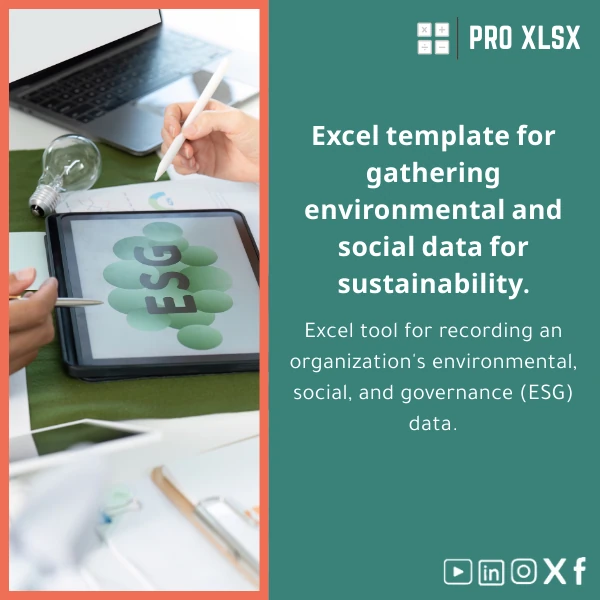
Environmental and Social Data Collection Template for Sustainability
Original price was: $48.33.$37.53Current price is: $37.53.
A ready-to-use Environmental and Social data template in Excel that consolidates ESG sustainability indicators across departments, validates inputs, and prepares data for KPI tracking and dashboard reporting — fast, auditable, and customizable for Egyptian firms and global teams.
Key benefits & value for the buyer
This Environmental and Social data template turns scattered departmental spreadsheets into a single, auditable source of truth. It is purpose-built to reduce manual consolidation time, increase data accuracy, and make your sustainability reporting repeatable quarter-to-quarter or year-to-year.
Practical benefits
- Time savings: Pre-built data maps and validation cut data cleaning and reconciliation by up to 70% in typical implementations.
- Consistency: Standard metric definitions (GHG scopes, water units, social KPIs) prevent misalignment between departments.
- Audit readiness: Input logs, change notes, and a clear mapping sheet help auditors trace numbers back to source submissions.
- Flexibility: Download the template or request ProXlsx hourly services to customize fields, add VBA automation, or prepare export-ready pivot tables.
Use cases & real-life scenarios
Below are realistic examples of how teams use the template to move from fragmented data to actionable insights.
Monthly sustainability consolidation for a mid-size manufacturer
Operations, Maintenance and HR submit standardized worksheets. The template validates units, flags missing values, and consolidates totals for energy consumption, water use, waste volumes, and LTI rates. Finance uses the consolidated sheet to allocate sustainability costs to cost centers.
Quarterly ESG reporting for a consultancy
Consultants collect environmental and social KPI inputs from 10 client sites. The template’s pivot-ready layout feeds a single dashboard and produces charts for client reports without rebuilding spreadsheets each quarter.
Initial CSR baseline for an Egyptian SME
A small company uses the template to run a baseline year: employee training hours, community spending, and basic emissions estimates. ProXlsx can then provide an hourly service to generate a one-page management dashboard.
Who is this product for?
Designed for professionals who need reliable, repeatable data collection and fast reporting using Excel:
- Accountants preparing CSR disclosures and integrating sustainability costs.
- Data analysts consolidating cross-department ESG indicators.
- Sustainability managers building internal dashboards before moving to BI tools.
- Consultants and auditors who need standardized data templates for multiple clients.
How to choose the right option
There are two practical paths depending on your needs:
- Download the template: Fast, low-cost, includes instructions, definitions, and sample data. Choose this if you want immediate use and have standard metrics.
- Template + customization (hourly): Add custom KPIs, connect to your internal codes, or add VBA automation. Ideal if departments use non-standard units or you require export automation for Power BI. ProXlsx provides hourly implementation services for this.
Compatibility note: the template works best on Excel 2016 and later; some VBA features require Windows Excel.
Quick comparison with typical alternatives
Common alternatives are bespoke database systems, manual spreadsheets, or expensive SaaS platforms. Compared to these:
- Vs manual spreadsheets: This template standardizes inputs and reduces reconciliation work.
- Vs bespoke databases: Faster to deploy, lower upfront cost, and no heavy IT dependency.
- Vs SaaS platforms: Cheaper and keeps sensitive data under your control; suitable for teams not ready to commit to a subscription or complex integrations.
Best practices & tips to get maximum value
- Distribute the printable submission form to departments with clear deadlines and units.
- Keep a single “source” file and enforce a versioning convention (e.g., YYYY-MM-DD_Submission).
- Use the definitions sheet to train department owners on metric meaning and units.
- If you plan automation, define the final dashboard layout before customizing — saves development time.
- Consider a short ProXlsx hourly session to map your chart of accounts or site codes into the template for smoother consolidation.
Common mistakes when buying/using similar templates and how to avoid them
- Buying a template that doesn’t match units: Check the definitions sheet and confirm unit conversions (kWh, m3, tonnes).
- Skipping validation rules: Always use the template’s validation to catch silly errors (e.g., negative consumption).
- Assuming one-size-fits-all: Most firms need light customization — budget for a 1–2 hour tweak if you have weird KPIs.
- No version control: Use the file naming convention and retain previous submissions for audit trails.
Product specifications
- Product: Environmental and Social data template (Excel workbook)
- Files included: Template (.xlsx), Sample data sheet, Definitions & units sheet, Printable submission form, Dashboard sample
- Compatibility: Excel 2016, Excel 2019, Office 365 (Windows & Mac). VBA features require Windows Excel.
- Language: English (labels and metric definitions). Arabic support available via customization.
- Delivery: Instant digital download after purchase. Optional ProXlsx hourly customization service.
- Support: Documentation included; paid implementation and troubleshooting available by the hour.
- Privacy: Local file, no cloud upload required unless you choose it.
FAQ
Is this an “ESG sustainability indicators template” that covers GHG emissions?
Yes — the template includes typical environmental indicators (energy, fuel, electricity, water, waste, basic estimated Scope 1 & 2 calculations). For detailed GHG protocols or Scope 3, ProXlsx can extend the workbook as an hourly customization.
Can departments submit their data in different units (e.g., kWh vs MWh)?
The definitions sheet lists accepted units and the template includes unit conversion helpers. We recommend standardizing units at the source; if not possible, choose the customization option to add automated conversions.
Will this work with our existing dashboards (Power BI / Tableau)?
Yes. The template’s pivot-ready layout and export sheet are designed for seamless import into Power BI or Tableau. If you need a direct connector or automated refresh, ProXlsx can set that up for you by the hour.
What if we need help implementing the template?
ProXlsx offers hourly implementation services: data mapping, VBA automation, dashboard creation, and user training. These services are billed hourly so you only pay for the exact work you need.
Ready to consolidate your sustainability data?
Download a proven Environmental and Social KPI tracker that accountants and data analysts trust to streamline ESG workflows. Fast deployment, clear audit trails, and optional custom work by the hour.
If you prefer a tailored setup, contact ProXlsx after purchase or request hourly customization to map your internal codes and automate exports.
Related products

Excel Bank Reconciliation Template for Accurate Financial Tracking

Excel Cash Flow Template for Tracking Inflows and Outflows

Excel Fixed Assets Management Template with Auto Depreciation

Excel Journal Entries Template with Auto GL Mapping

Excel Payroll Calculation Template for Deductions and Taxes

Excel Template for Chart of Accounts for Various Industries

Interest Calculation Template for Excel with Cash Discounts
An Excel-ready interest calculation template that computes simple and compound interest, generates early‑payment cash discount schedules, and converts those results into clear reports and cashflow tables — built for accountants, data analysts, and finance teams who need reliable, fast answers without custom development.


Reviews
Clear filtersThere are no reviews yet.