


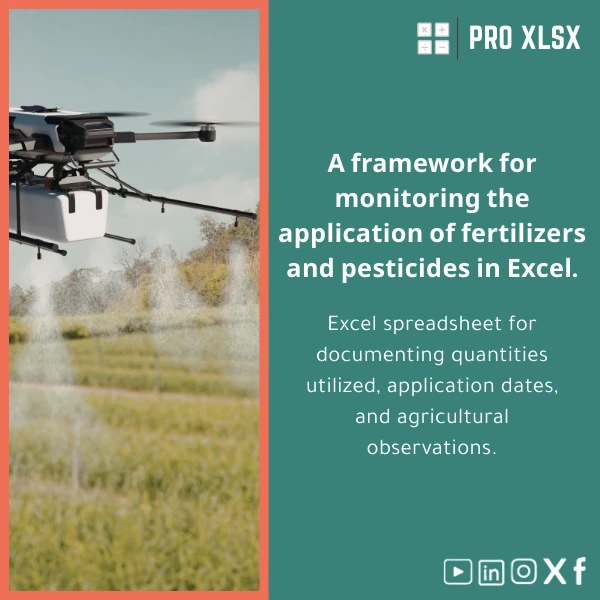
Fertilizer Usage Tracking Template for Efficient Record Keeping
Original price was: $37.53.$26.73Current price is: $26.73.
A ready-to-use Excel fertilizer usage tracking template designed for accountants, data analysts, agribusinesses and farm managers who need accurate, auditable records of fertilizer and pesticide applications, cost allocation per field, and fast exportable reports for compliance and financial analysis.
Key benefits & value for buyers
This fertilizer usage tracking template translates scattered field notes and invoices into structured, auditable data that accountants and analysts can use immediately. Instead of manual reconciliation across paper logs and spreadsheets, you get clean records ready for:
- Financial reporting: allocate fertilizer costs by crop, field, or cost center.
- Operational monitoring: measure application frequency and identify over/under-application.
- Compliance & traceability: retain application dates, lot numbers and agronomic notes for audits or certification.
- Analytics-ready datasets: built for pivot tables, charts and export to CSV for ERP import.
How it saves time and reduces risk
Standardized fields reduce data entry errors; built-in validation prevents impossible quantities or missing dates. Optional VBA routines can automate repetitive tasks (batch import of invoices, summary refreshes), reducing hours spent on monthly reconciliation.
Use cases & real-life scenarios
Scenario 1 — Agribusiness accounting
An accountant receives weekly purchase invoices and field application notes. Using the template they log each application, link it to supplier invoices, and generate a monthly cost-per-hectare report for management and tax preparation.
Scenario 2 — Farm operations & compliance
Field managers record fertilizer and pesticide applications on mobile, then update the template daily. The farm owner exports an audit report that shows exactly what was applied, where, and by whom—necessary for certification audits.
Scenario 3 — Data analyst & crop performance
A data analyst merges the fertilizer log with yield data in Excel or Power BI to calculate ROI per input and recommend optimized application schedules.
Who is this product for?
Designed for professional users who need reliable, analyzable input records:
- Accountants and financial controllers in agricultural companies.
- Data analysts building dashboards or cost models for farms and cooperatives.
- Large and medium farms seeking a low-cost alternative to complex ERP modules.
- Consultants and auditors who require an audit trail of applications and quantities.
How to choose the right template & options
Choose based on your workflow and volume:
- Small farms / low volume: the basic Excel fertilizer log sheet—lightweight, manual entry, immediate download.
- Mid-size operations: the full template with inventory tracking and pivot-ready summaries.
- Enterprises / integration needs: request the template with VBA automations and a one-hour setup service to map fields to your accounting system.
If you’re unsure, pick the standard template and add hourly implementation from ProXlsx to tailor fields, validation rules, or dashboard layouts.
Quick comparison with typical alternatives
Common options are paper logs, generic spreadsheets, or full farm management software. This template sits in between:
- Vs paper: far faster aggregation, searchable, auditable and shareable.
- Vs generic spreadsheets: predefined fields, validation and report-ready structure reduce rework.
- Vs farm management software: much lower cost and simpler to deploy; ideal when you need control in Excel or a quick export to accounting systems.
Best practices & tips to get maximum value
- Use consistent field identifiers (field IDs, crop codes) across all farm records to make joins painless in analysis.
- Enable data validation and protected sheets for shared files to prevent accidental changes to formulas.
- Run monthly reconciliations of stock-out vs applied quantities to catch discrepancies early.
- If you need recurring reports, request the VBA summary automation—ProXlsx provides per-hour customization for mapping and final delivery.
Common mistakes when buying/using similar templates and how to avoid them
- Buying a template without validation rules — leads to inconsistent data. Our template includes built-in checks.
- Assuming one template fits all processes — choose the template level (basic, inventory, or automated) that matches your volume.
- Skipping backups — set up a simple versioning policy or use cloud storage to prevent data loss.
Product specifications
- File format: Microsoft Excel (.xlsx). Optional .xlsm version available with macros for automation.
- Sheets included: Entry Log, Inventory, Summary Dashboard, Pivot Data, Lookups.
- Core fields: Date, Field ID, Crop, Product (fertilizer/pesticide), Batch/Lot No., Quantity (kg/L), Unit Cost, Applicator, Agronomic Notes.
- Compatibility: Excel 2016 and later (Windows & Mac). VBA features require Excel for Windows for full automation.
- Delivery: Instant digital download. Customization: paid hourly implementation and data-mapping services from ProXlsx.
- Language: English; Arabic labels available on request as a customization service.
Frequently asked questions
Can I use the template to track both fertilizer and pesticide applications?
Yes. The template is designed to handle multiple input types. You can filter by product category (fertilizer or pesticide) and run separate summaries or combined reports.
Will this work with my accounting system?
The template exports to CSV and has structured columns designed for easy import into most accounting and ERP systems. For direct mapping and automation we offer hourly implementation to adjust column names and export formats to your system.
Is the template compliant with audit and certification needs?
It provides an auditable trail: dates, applicators, batch numbers and notes. For specific certification schemas, ProXlsx can add required fields and report formats as a customization service.
What if I need automation or bespoke dashboards?
Choose the .xlsm version with macros or order a short hourly engagement. Our analysts can build pivot dashboards, refresh macros, or connect the file to Power BI for interactive visualization.
Ready to standardize fertilizer and pesticide records?
Get a structured, audit-ready Excel fertilizer usage tracking template and stop losing time reconciling disparate notes. Instant download and optional customization by ProXlsx experts.
Need help selecting the right option? Contact ProXlsx for a 30-minute consultation or request an hourly setup to tailor the template to your workflow.








Reviews
Clear filtersThere are no reviews yet.