




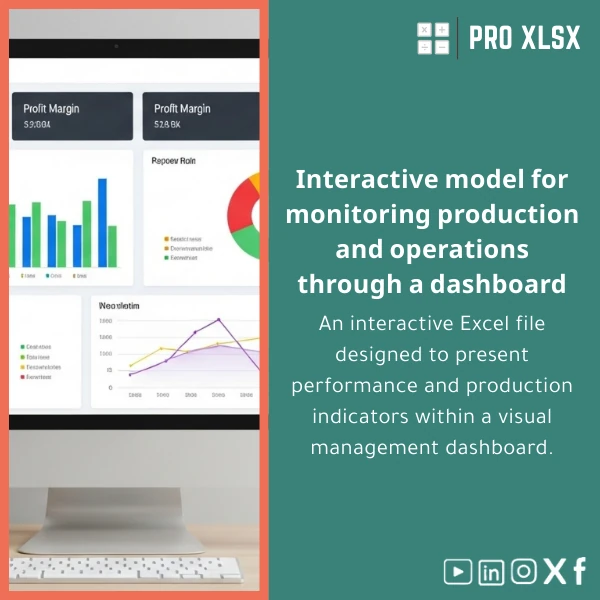
Interactive Production Dashboard Template for Performance KPIs
Original price was: $48.33.$37.53Current price is: $37.53.
Interactive Excel file to visualize production and performance KPIs for management — a ready-to-use Production dashboard that turns raw factory and operations data into actionable insights, fast.
Key benefits & value for buyers
This Production dashboard template is built to reduce time-to-insight and increase the accuracy of operational reporting. It translates raw production logs, ERP exports, and manual records into clear indicators managers can act on.
What you gain
- Faster decisions: Combine daily and shift-level data into one dashboard to spot bottlenecks within minutes.
- Cleaner reporting: Pre-built data model and validation rules reduce manual errors in KPI calculations.
- Lower cost than BI tools: All the value of a light BI dashboard without new software or license fees.
- Customizable: Add your cost centres, product lines, or targets with minimal Excel skills — or request ProXlsx hourly help.
- Audit-ready: Transparent formulas and a separate raw-data sheet make audits and reconciliations straightforward for accountants.
Use cases & real-life scenarios
Examples of how teams use this Production dashboard Excel template in daily work:
- Shift supervisor: Uses the live KPI cards to compare shift performance and identify recurring downtime causes.
- Plant manager: Reviews weekly trend charts to prioritise maintenance or staff allocation.
- Accountant / cost analyst: Connects production volumes with cost-per-unit calculations for more accurate product costing.
- Consultant / auditor: Exports snapshots for client reports and demonstrates improvements after process changes.
Each scenario requires the same core capability: reliable, auditable KPIs presented so non-technical managers can act immediately.
Who is this product for?
Designed for accountants, data analysts, operations managers, and small-to-medium manufacturing companies in need of a practical Production dashboard. Ideal when you need:
- Standardised KPI tracking without a new BI platform.
- Fast implementation (download and configure in hours, not weeks).
- Localised support and optional one-hour consultancy to tailor formulas or automate imports.
How to choose the right version
There are a few choices to match your needs — select by Excel version and level of customisation:
- Standard (recommended): Works on Excel 2016 or newer (Windows & Mac). Includes interactive charts, KPI sheet, raw-data sheet, and documentation.
- With Macros: Adds VBA routines to import CSVs and refresh pivot tables automatically — choose this if you want scheduled updates and you use Excel desktop (not Excel Online).
- Custom package: Purchase the template and add hourly ProXlsx services for mapping, data-cleaning, or building additional KPI cards to fit your chart of accounts or product hierarchy.
If you’re unsure which version fits, our hourly service can review your data sample and recommend the minimal changes for production-ready KPIs.
Quick comparison with typical alternatives
How the Production dashboard Excel template compares with common options:
- Manual spreadsheets: Template reduces error-prone copy-paste, adds validation and clear KPI definitions.
- Cloud BI tools: Lower cost and faster deployment; suitable when you do not need enterprise integrations or multi-user dashboards.
- Custom development: Faster and cheaper — deliver results in days instead of weeks, with optional custom coding by our experts when needed.
Best practices & tips to get maximum value
- Standardise input columns before import (date, line, product code, run-time) — the template’s importer expects consistent headers.
- Maintain a daily upload schedule and save weekly snapshots for trend analysis and audits.
- Use the Macros version if you want one-click refreshes; keep a backup before enabling VBA.
- Use the ProXlsx hourly service to map your ERP exports to the template format — saves hours of manual work.
- Document any local adjustments in a sheet called “Configuration” so future users understand targets and thresholds.
Common mistakes when buying/using dashboards — and how to avoid them
- Buying a complex BI system when Excel would do: Start with this template to validate KPIs before larger investments.
- Skipping data validation: Use the template’s validation rules to avoid misleading KPIs from bad inputs.
- Expecting Excel Online to run VBA: If you need automation, choose the Macros version and run it on desktop Excel.
- Not planning ownership: Assign one person to manage data updates and snapshots to keep reports consistent.
Product specifications
- File type: .xlsx (Standard) / .xlsm (Macros version)
- Compatibility: Excel 2016 or later (Windows & Mac); Macros require Excel desktop
- Sheets included: Raw Data, KPI Dashboard, Trend Charts, Targets, Configuration, Audit Log
- Main KPIs: OEE, throughput, yield, downtime, rejects, cost per unit
- Charts: Interactive slicers, trend lines, stacked area, KPI cards
- Security: Optional sheet protection; formulas visible for audit
- Delivery: Instant download after purchase; optional ProXlsx hourly services available
- Documentation: Quick-start guide and sample data included
Frequently asked questions
Will this Production dashboard work with our ERP exports (CSV)?
Yes. The template accepts common CSV exports. If your file headers differ, use the included mapping guide or request a one-hour setup from ProXlsx to automate imports and align fields.
Can we customize KPIs or add additional product lines?
Absolutely. The template is built to be extended. For complex customisation (additional KPIs, custom formulas, or VBA automation) we offer hourly implementation services to deliver and test changes on your real data.
Is the Macros version safe to use?
Yes. Macros are signed code from trusted templates and perform limited tasks (import, refresh). Always keep a backup before enabling macros and ensure macros are enabled only from trusted sources.
What support is included after purchase?
Purchase includes the template, sample data, and a quick-start guide. Optional paid support is available by the hour for mapping, data-cleaning, dashboard tweaks, or full automation.
Ready to start monitoring production performance?
Download the Production dashboard now and begin turning daily production logs into clear, decision-ready KPIs. If you need help, ProXlsx experts are available by the hour to integrate, customise, or automate your template.
Prefer a custom quote? Contact ProXlsx for guaranteed delivery times and a clear hourly rate for implementation.







Reviews
Clear filtersThere are no reviews yet.