




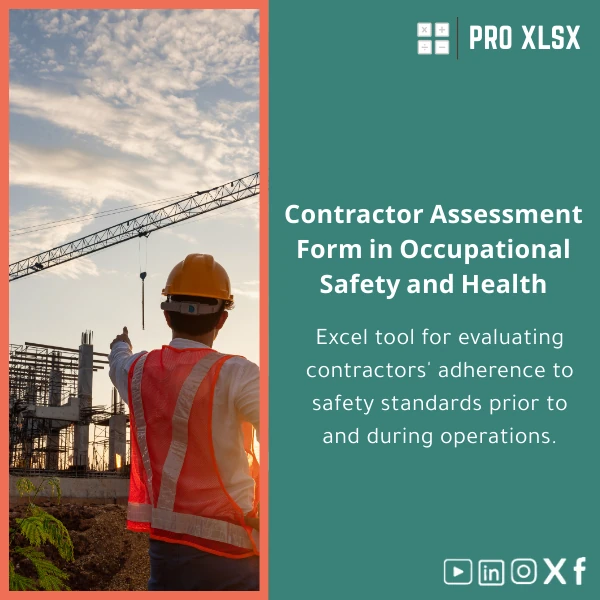
Contractors Safety Evaluation Compliance Template
Original price was: $48.33.$37.53Current price is: $37.53.
A ready-to-use Excel solution to run consistent, auditable contractors safety evaluations before and during works. Save time on inspections, generate clear compliance scores, and produce exportable reports for auditors and clients — ideal for accountants, data analysts, and companies that need precise operational control over contractor safety data.
Key benefits & value for accountants, analysts and operations teams
This contractors safety evaluation template is designed to convert subjective site observations into objective, repeatable data you can analyse and report on. We engineered the template to address the three most common organisational needs: consistency, traceability and integration.
What you get in ROI terms
- Faster inspections: complete standard evaluations in minutes instead of forms that require manual compilation.
- Reduced compliance risk: consistent scoring and required corrective action tracking lower the chance of oversight.
- Cleaner audits: printable, time-stamped reports that meet internal and external audit expectations.
- Data you can use: ready-to-pivot tables for financial reconciliation, cost-of-non-compliance calculations, or contractor performance dashboards.
Use cases & real-life scenarios
Construction firm — pre-mobilisation checks
Before a contractor arrives on site, a safety officer runs the contractor safety evaluation to confirm mandatory licences, insurance, PPE standards and site induction completion. Failures generate an automatic “not approved” flag and recommended corrective actions.
Manufacturing plant — ongoing contractor surveillance
Site supervisors use the contractor safety compliance checklist during periodic inspections. The template records findings and assigns corrective actions with due dates; the operations manager receives a weekly summary to allocate resources for remediation.
Accounting & reporting — linking safety to cost
Accountants and data analysts export the evaluation table to feed into a contractor performance model: correlate safety scores with incident costs, invoice holdbacks, or insurance premium calculations.
Who is this product for?
Designed for organisations that need both rigorous safety documentation and clean data for analysis:
- Accountants and cost controllers who need safety-related inputs for project accounting.
- Data analysts building contractor performance dashboards or forecasting safety-related costs.
- HSE teams and safety officers who want a structured, repeatable contractor safety audit form.
- Small and mid-sized businesses in Egypt and the region seeking fast, low-cost solutions without heavy software procurement.
How to choose the right version
The template is offered in three practical packages so you buy only what you need:
- Basic (Excel file): Contractor safety evaluation checklist and scoring sheet. Best for single-auditor use.
- Audit (Excel + printable reports): Includes audit-ready summaries, corrective action logs and printable PDF-friendly layouts.
- Enterprise (includes macros): Adds VBA automation for batch report generation, email-ready export and a dashboard for multiple projects. Ideal for teams and repeated monthly reporting.
Not sure which version fits? Choose Basic and upgrade later, or request an hourly customization service from ProXlsx for a tailored setup.
Quick comparison with typical alternatives
- Paper checklists: Cheap but inconsistent, hard to aggregate, poor audit trail. Our template centralises and standardises data instantly.
- Generic online forms: May lack offline access and deep Excel integration. This Excel template gives analysts direct access to raw data for advanced modelling.
- Custom software: Powerful but costly and slow to deploy. The template gives fast deployment and low cost while delivering audit-grade records.
Best practices & tips to get maximum value
- Standardise scoring rules across the organisation so all auditors interpret checklist items the same way.
- Integrate evaluation outputs with your finance model once a quarter to quantify safety-related cost drivers.
- Use the corrective action log and set automated review reminders (Enterprise) to close non-conformities promptly.
- Keep a template master file and distribute copies per site to preserve a clean change history.
Common mistakes when buying or using contractor safety templates (and how to avoid them)
- Mistake: Buying a template that’s too generic. Fix: Choose the Audit or Enterprise version or request a quick customization from ProXlsx.
- Mistake: Skipping the training step. Fix: Run a short 30–60 minute walkthrough with the team; ProXlsx offers hourly support for onboarding.
- Mistake: Not linking data to cost centres. Fix: Map contractor IDs to accounting codes in the data sheet so analysts can join tables for reporting.
Product specifications
- File format: .xlsx (compatible with Excel 2016 and later, Excel for Microsoft 365)
- Sheets included: Instructions, Master Checklist, On-site Evaluation, Corrective Actions Log, Summary Dashboard, Raw Data Export
- Automations: Optional VBA macros available in Enterprise package (macro-enabled file provided)
- Language: English (easy to customise to Arabic)
- Delivery: Instant download after purchase; sample demo included
- Support: 3 days email support for Basic & Audit; hourly customization & automation services available from ProXlsx
- Licensing: Single-user licence included; team and site licences available on request
- Use notes: Keep macros disabled if your environment blocks VBA; use the Audit package to retain printable record layouts without macros
FAQ
Is this a standalone safety management system or just an Excel checklist?
The product is an Excel-based contractors safety evaluation template — not a full safety management system. It provides structured, auditable records, scoring and reports that integrate with your existing processes. For organisations that need more automation or integration, ProXlsx offers hourly services to adapt the template or connect outputs to other systems.
Can I customise the checklist items to match our company policy?
Yes. All checklist items are editable. You can add or remove rows, change scoring weights, and localise language. If you prefer, request a paid customization (hourly) and we will deliver a ready-to-use company-specific version.
Does the template work offline and on tablets on site?
Yes. The Excel file works offline using Excel on Windows and should work on tablets that support Excel for iPad or Android. Mac users should use Excel for Mac. The Enterprise (macro) features require Excel on Windows for full functionality.
How secure is our data if we use macros or email exports?
Files are processed on your machine. Macros run locally; ProXlsx does not access your data. If you need secure integrations or anonymisation, request our hourly service to implement safeguards or provide guidance on secure deployment.
Ready to standardise contractor safety evaluations?
Purchase the Contractors Safety Evaluation Compliance Template and start running consistent, auditable evaluations today. Download, customise, and integrate with your financial and operational reports — or request professional customization from ProXlsx if you need a rapid, personalised setup.







Reviews
Clear filtersThere are no reviews yet.