




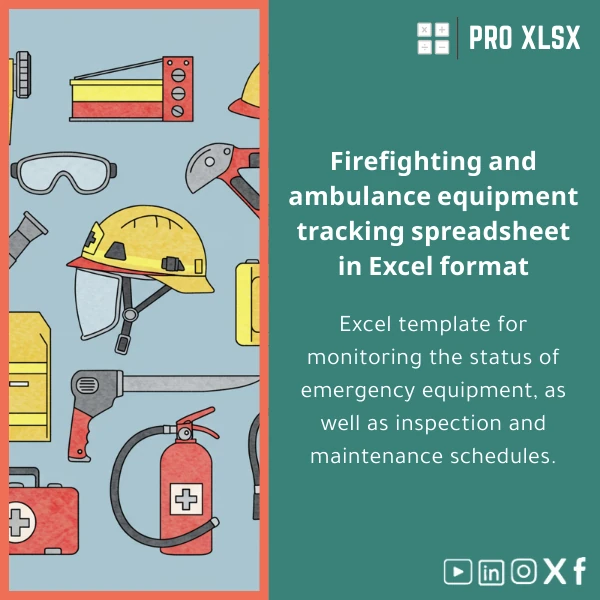
Firefighting Equipment Tracking Template for Inspections & Maintenance
Original price was: $37.53.$26.73Current price is: $26.73.
An Excel-based firefighting equipment tracking template that helps safety teams, accountants, and data analysts log equipment condition, schedule inspections, and record maintenance costs — all in one structured workbook with dashboards and automated checks.
Key benefits & value for buyers
This firefighting equipment tracking template translates routine safety tasks into measurable, auditable records. It’s built with professionals in mind — accountants and data analysts will appreciate structured tables and ready-made pivot sources, safety teams will benefit from inspection workflows, and managers get clear KPIs for compliance.
What you get — features translated into outcomes
- Structured inventory with unique IDs: Eliminates duplicate entries and speeds up reconciliations for accounting and audits.
- Date-driven alerts: Overdue inspections are highlighted so you can assign actions before compliance breaches occur.
- Maintenance cost tracking: Link repair invoices to items for CAPEX/OPEX reporting and budget forecasting.
- Printable inspection checklists: Export per-site or per-equipment checklists for technicians and third-party contractors.
- Dashboard & exports: One-click summaries to include in management reports or attach to audit submissions.
Use cases & real-life scenarios
Below are concrete examples of how teams use the template day-to-day.
Monthly inspection cycle for a multi-site company
Facility managers import site inventories into the master sheet, run the scheduling filter to produce a monthly inspection list, and print checklists for technicians. After inspections, dates and findings are logged and the dashboard updates automatically with compliance percentages per site.
Accounting & cost allocation
Accountants attach maintenance invoices to item records, generating a per-item cost history that feeds a pivot table for monthly expense allocation and capital replacement planning.
Audit preparation
Auditors receive an export of inspection records and a summarized dashboard showing inspection frequency, overdue items, and corrective actions — all generated without manual consolidation across systems.
Who is this product for?
Designed for professionals who need reliable, Excel-first solutions rather than heavy, expensive software:
- Safety officers and compliance teams who perform or manage inspections.
- Accountants and financial analysts tracking maintenance spend and depreciation.
- Facilities managers for multi-site coordination and reporting.
- Consultants and auditors who need printable logs and audit-ready exports.
How to choose the right template/version
Pick the version that matches your workflow:
- Standard (no macros): For environments that restrict macros — contains all formulas, validation, and dashboards.
- Pro (with optional VBA): Adds export and reminder macros for users who permit macros — best for automated checklist generation.
- Customisation service: Order hourly support from ProXlsx if you need fields changed, company branding, or integration with your accounting exports.
If you’re unsure which version fits, ProXlsx offers short-hour consultancy to map the template to your procedures before purchase.
Quick comparison with typical alternatives
- Paper logbooks: Cheaper short-term but difficult to aggregate, search, or include in financial reports.
- Generic Excel templates: May lack inspection scheduling, proper validation, or dashboards — costing time in cleanup.
- Dedicated SaaS systems: Feature-rich but often require subscriptions, training, and data migration — the template provides a lean alternative for teams preferring Excel and local control.
Best practices & tips to get maximum value
- Start with a clean import: export existing inventory as CSV and paste into the template’s import sheet to avoid duplicates.
- Use data validation lists for equipment types and locations to maintain reporting quality.
- Set one person as template owner to manage macros, backups, and version control (store master on shared drive with edit history).
- Generate dashboard reports monthly and attach them to your compliance folder for audits.
- If you need automation, purchase the Pro version and enable macros after confirming your IT policy.
Common mistakes when buying/using similar templates — and how to avoid them
- Buying a template that lacks audit trails: Choose this template because each inspection record includes timestamps and user notes for traceability.
- Over-relying on free templates: Free downloads often need heavy modification; ProXlsx templates are structured for immediate use with minimal setup.
- Ignoring macro security: If you select the VBA-enabled version, confirm your environment allows signed macros or use the non-macro standard version instead.
Product specifications
- Format: Microsoft Excel (.xlsx). Pro version includes a .xlsm macro-enabled file.
- Compatibility: Excel 2016, 2019, Microsoft 365 for Windows and Mac (macros limited on Mac).
- Sheets included: Inventory, Inspection Log, Maintenance Costs, Dashboard, Print Checklists, Import/Export.
- Macros: Optional (disabled by default in the standard package).
- Language: English (easy to localize labels).
- Delivery: Instant download after purchase from ProXlsx.
- Support: Documentation included; optional hourly customization and implementation services available from ProXlsx.
Frequently asked questions
Can I use the template without enabling macros?
Will this work for multiple sites and many items?
Can I connect this to our accounting system?
What support is available after purchase?
Ready to enforce inspections and simplify reporting?
Buy a practical, audit-ready firefighting equipment tracking template that accountants, analysts, and safety teams can trust. Instant download and optional customization by ProXlsx experts.
Need changes before purchase? Contact ProXlsx for a short scoping session to confirm the template matches your workflow.









Reviews
Clear filtersThere are no reviews yet.