



ABC Inventory Analysis Template for Excel Classification Tool
Original price was: $37.53.$26.73Current price is: $26.73.
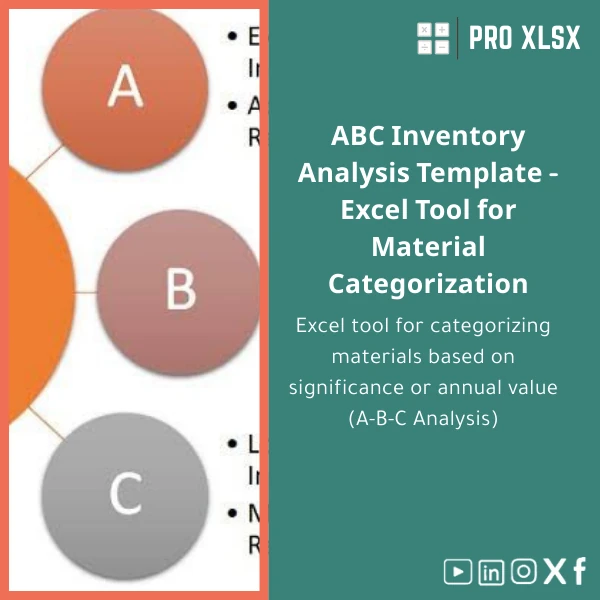
Excel tool for ABC inventory classification and prioritisation: classify items by annual value and importance, generate actionable lists, visual dashboards and reorder recommendations — built for accountants, procurement teams and data analysts who need fast, accurate ABC inventory analysis.
Key benefits & value for the buyer
The ABC inventory analysis template turns raw stock and transaction data into clear, actionable intelligence. Instead of guessing which items deserve tight control, the template uses industry-standard inventory ABC model logic and your actual annual consumption value to:
- Identify the top-value items (Category A) that typically account for ~70–80% of annual spend so you can focus control and cash-flow planning.
- Highlight B and C items for periodic review or supply simplification.
- Produce printable reports and exportable lists for procurement approval, audits, or ERP upload.
- Save time: eliminate manual calculations, reduce human error and free analysts to act on insights.
Use cases & real-life scenarios
Procurement optimisation
A procurement manager imports 12 months of movement data, runs the ABC inventory analysis Excel tool, and receives a ranked list of A-items with suggested safety stock and review frequency. Result: fewer stockouts for key parts and lower working capital tied to non-critical SKUs.
Audit and control for accountants
During year-end inventory review, accountants use the template to justify increased physical checks and valuation attention on A-class items, producing an audit-ready report that links item-level value to financial balance sheet impact.
Operational clean-up for warehouses
Warehouse teams use exported ABC lists to redesign pick-lists, high-turn locations, and cycle count schedules — reducing picking time and improving stock accuracy where it matters most.
Who is this product for?
This ABC inventory classification template is built for:
- Accountants and auditors who need clear evidence-based prioritisation for inventory testing.
- Data analysts who prepare operational reports or integrate ABC output into dashboards.
- Procurement and supply chain teams in SMEs and corporates wanting fast, low-cost inventory segmentation without new software.
- Consultants and advisors offering inventory optimisation services to clients in Egypt and the MENA region.
How to choose the right version
The template is offered in two common configurations:
- Standard (no macros) — pure formulas, compatible with Excel for Windows, Mac and online versions. Recommended when macros are restricted by IT policy.
- Pro (with optional VBA) — includes automation for data import, one-click classification and printable reports. Choose this when you need repeatable automation and have desktop Excel with macro permissions.
Choose Standard for maximum compatibility; choose Pro if you value speed and frequent re-runs. If unsure, download the Standard and request a one-hour customization from ProXlsx.
Quick comparison with typical alternatives
Compared to manual spreadsheets: this template removes formula duplication and human error with structured sheets and validation.
Compared to full inventory systems: the template is low-cost, faster to deploy and doesn’t require migration — ideal when you need a fast, data-driven decision tool without major IT projects.
Best practices & tips to get maximum value
- Prepare inputs: include item code, description, annual quantity, unit cost. The template calculates annual value automatically.
- Use consistent time ranges — 12 months of consumption is standard for reliable ABC classification.
- Adjust Pareto thresholds in the Settings sheet to reflect your business reality (default A=70%, B=20%, C=10%).
- Publish A-item lists to purchasing and finance teams and review them quarterly.
- Combine ABC output with lead-time and criticality data to derive reorder points and safety stock recommendations.
Common mistakes when buying/using ABC templates and how to avoid them
- Using incomplete data: Ensure your consumption data includes returns and adjustments. Incomplete series skews classification.
- Blindly applying defaults: Tailor thresholds and unit cost methodology to your accounting practice; defaults are a starting point, not a rule.
- Ignoring governance: Secure shared files and maintain a change log; the template includes an audit sheet to track who ran classifications and when.
Product specifications
- Format: .xlsx file (digital download)
- Compatibility: Excel 2016 or later (Windows), Excel 2019/365 (Mac); Standard version compatible with Excel Online
- Macros: Optional (Pro version includes VBA automation)
- Included sheets: Data Input, Settings, Calculations, Results (A/B/C lists), Dashboard, Printable Report, Audit Log
- Capacity: Designed for up to 100,000 rows; performance depends on local machine and Excel edition
- Localization: English interface; number formats adapt to Excel regional settings
- Delivery: Instant digital download + instruction PDF; optional hourly customization and implementation services from ProXlsx
Frequently asked questions
Does this ABC inventory analysis template work with Excel Online and Google Sheets?
The Standard (no macros) version is compatible with Excel Online. Google Sheets may not fully support advanced formula behaviour and layout. For full functionality and Pro automation, use desktop Excel (Windows or Mac).
How does the template calculate ABC categories?
It computes annual consumption value (annual quantity × unit cost), ranks items by total value, calculates cumulative percentages and assigns A/B/C based on configurable Pareto thresholds (default A=70%, B=20%, C=10%). Settings let you adjust thresholds to match your business.
Is there any support after purchase?
Yes — every purchase includes a downloadable user guide and 30 minutes of free email/remote support to help with initial setup. Additional customization or data-cleaning services are available hourly from ProXlsx.
Are macros safe? Can I use the Pro version at my company?
Macros are signed where possible and explained in the documentation. If your IT policy restricts macros, use the Standard version or request a code review from your IT team. ProXlsx can also deliver a macro-free custom solution on request.
Ready to make inventory decisions that save money?
Download the ABC inventory analysis template in Excel and start classifying items by annual value today. Fast download, clear documentation and optional expert support from ProXlsx.
Included: .xlsx file, user guide, 30 minutes free setup support. Optional hourly services for customization and data cleaning.







Reviews
Clear filtersThere are no reviews yet.