




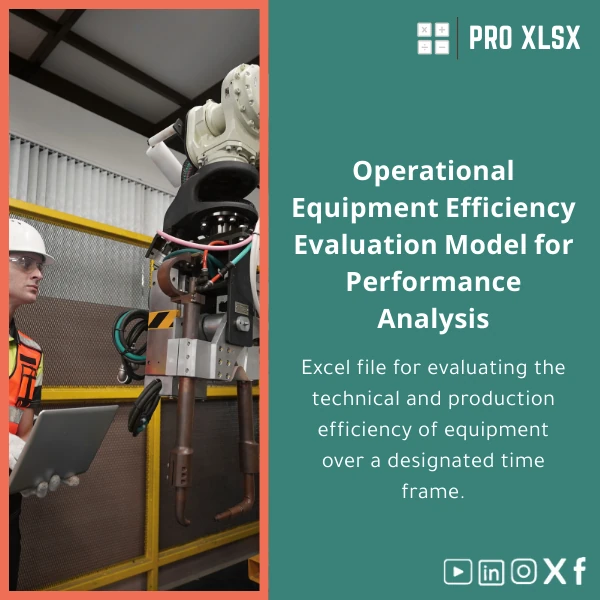
Operational Equipment Efficiency Template for Performance Analysis
Original price was: $48.33.$37.53Current price is: $37.53.
Excel file to analyze technical and production performance of equipment over time — a ready-made
operational equipment efficiency template that turns raw machine logs, downtime records and output
data into actionable KPIs, trend charts and a compact management dashboard.
Key benefits & value for the buyer
The Operational equipment efficiency template encapsulates decades of field-tested calculations and reporting patterns into a single Excel file.
It reduces time-to-insight and ensures consistency across reports so accountants, analysts and operations managers can:
- Save hours each month: eliminate manual KPI calculations and repeated formatting.
- Improve accuracy: standard formulas and controlled input tables reduce human error in production reporting.
- Prioritise maintenance spend: cost-impact analysis ties downtime to lost production value and margin erosion.
- Communicate clearly: pre-made dashboard and exportable charts for management review and board packs.
Concrete outcomes
Implementing this template typically shortens monthly performance reporting from days to hours, improves visibility on chronic equipment failures, and supports data-driven maintenance decision-making (preventive vs corrective).
Use cases & real-life scenarios
1. Monthly OEE reporting for manufacturing plants
Feed hourly production logs and downtime categories into the template. The sheet computes OEE per line and aggregates by plant, producing trend charts and month-over-month variance analysis ready for the operations review meeting.
2. Maintenance prioritisation and CAPEX planning
Use the cost-impact module to convert lost production minutes into monthly revenue impact. Prioritise repairs that deliver the fastest ROI and justify replacement with quantifiable figures.
3. External audit & financial reconciliation
Accountants and auditors get a traceable workbook where every KPI links back to source tables. The template keeps raw logs separate from calculated sheets, simplifying reconciliation and audit trails.
Who is this product for?
This operational equipment performance template is built for:
- Accountants who need reliable production metrics tied to revenue and cost centers.
- Data analysts consolidating multiple machines or sites into standard KPIs and dashboards.
- Operations managers and maintenance supervisors who must prioritise work orders and report performance.
- Consultants and auditors preparing management reports or improvement proposals.
If your business collects equipment logs, downtime categories and output volume and wants fast, auditable KPIs, this template will fit your workflow.
How to choose the right template for your operation
The main considerations when selecting an equipment efficiency evaluation template are data volume, reporting frequency, and integration needs:
- Data volume: For thousands of daily records choose the workbook with structured tables and Excel 365 for best performance. For smaller daily logs, older Excel versions work fine.
- Reporting frequency: Weekly or daily dashboards need hourly log support; monthly summaries can use aggregated inputs.
- Integration: If you plan to import data from CSV, SCADA or ERP, confirm the template’s import-ready format (this template includes mapped import sheets and instructions).
If unsure, order the template and pair it with ProXlsx hourly implementation services to map your export format and get a working dashboard within a day.
Quick comparison with typical alternatives
Consider three common approaches and how this template compares:
- Manual spreadsheets: Cheap but error-prone and time-consuming. Our template replaces repetitive work with validated formulas and templates.
- Custom software/ERP modules: Powerful but costly and slow to deploy. The template provides immediate value without large CAPEX and can run alongside existing systems.
- Full consultancy build: Tailored but expensive. ProXlsx offers a middle path: a polished template plus optional hourly customization to adapt quickly at lower cost.
Best practices & tips to get maximum value
- Standardise downtime categories before importing data — consistent categories produce clearer root-cause insights.
- Keep raw logs on a separate sheet — never overwrite raw data so calculations remain auditable.
- Use Excel 365 or 2019+ for best performance; enable calculation auto-update and protect formula sheets if multiple users access the file.
- Schedule a monthly review that pairs the template dashboard with corrective action tracking — measurement without action won’t improve performance.
- Consider ProXlsx hourly services to map your data exports, automate imports with Power Query, or add simple VBA for recurring tasks.
Common objections addressed
Price: The template is a fraction of custom software cost and pays back quickly through reduced reporting time and clarified maintenance priorities.
Quality & fit: Built by Excel specialists for maintenance and operations workflows; includes instructions and optional paid customization if your operations have special rules.
Complexity: Designed with staged inputs and clear instructions — you can start with manual entry and scale up to automated imports later.
Product specifications
- File format: .xlsx (compatible with Excel 2016, 2019, Excel 365; best with Office 365)
- Sheets included: Raw Logs, Shift Summary, OEE Dashboard, Downtime Analysis, Cost Impact, Charts & Exports, Mapping & Instructions
- Automation: Pre-built formulas, pivot-ready tables, Power Query-ready import template, optional VBA for scheduled exports (VBA disabled by default)
- Data capacity: Designed for up to ~200k rows across tables; performance depends on Excel version and machine specs
- Language: English (labels can be edited)
- Delivery: Instant download after purchase + optional hourly ProXlsx implementation
- Support: Documentation included; paid hourly support available for custom mapping and automation
- License: Commercial use allowed for single company (see product terms)
FAQ
Can I import CSV exports from my SCADA/PLC system directly?
Yes. The template includes an import mapping sheet and instructions for using Power Query. If your CSV format requires custom mapping, ProXlsx offers hourly setup to map and automate the import.
Do I need Excel 365 to use this template?
The template works on Excel 2016 and later. Excel 365 provides best performance for large datasets and dynamic arrays; Power Query is recommended for automation but not mandatory.
How quickly can I get a customised version for my factory?
For most factories, a one-day implementation (4–8 hours) is sufficient to map exports and adjust categories. Book hourly services after purchase and we’ll provide a timeline.
Is there an audit trail for changes?
The structure keeps raw logs separate from calculated sheets to make reconciliation straightforward. For full change tracking, use SharePoint or Excel workbook versioning; ProXlsx can add simple VBA logging if required.
Ready to improve equipment performance reporting?
Buy a proven operational equipment efficiency template that reduces reporting time, improves accuracy and gives clear ROI on maintenance decisions. If you need fast setup, combine the template with ProXlsx hourly implementation.
Related products

Break-Even Analysis Template for Cost and Profit Estimation
A ready-to-use Break-Even Analysis template in Excel to calculate the sales volume needed to cover costs, model profit scenarios, and produce clear management-ready charts and a margin of safety calculator. Designed for accountants, analysts, and companies who need fast, reliable decision support without complex systems.








Reviews
Clear filtersThere are no reviews yet.