




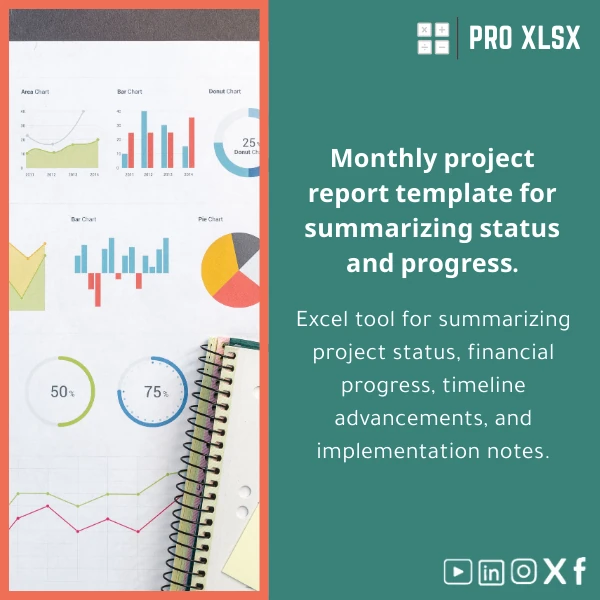
Monthly Project Report Template for Engineering Management
Original price was: $42.93.$32.13Current price is: $32.13.
A structured Excel solution to produce a concise monthly project status report — summarizing financials, schedule progress, risks, and execution notes in a single sheet that stakeholders understand. Designed for accountants, data analysts, and engineering teams that need reliable, repeatable monthly reporting without complex BI systems.
Key benefits & value for the buyer
This Monthly Project Report template translates raw project data into a professional monthly project status report, saving time while improving clarity for stakeholders. It turns disparate cost lines, progress updates, and change notes into:
- Fast, repeatable reporting: Standardized layout and formulas cut report preparation time by up to 70% versus ad-hoc spreadsheets.
- Clear financial oversight: Budget vs actual, month-to-date, and forecast-to-complete calculations are pre-built and validated.
- Timely schedule visibility: Integrated progress bars and milestone tracking simplify identification of delayed activities.
- Audit-ready notes: Execution notes section keeps a dated log of decisions, change orders, and corrective actions for auditors and owners.
- Low-cost automation: Optional VBA routines (in the .xlsm version) export monthly reports to PDF and prepare summary emails for managers.
Use cases & real-life scenarios
1. Project finance consolidation for PMO
A PMO consolidates cost reports from three site accountants into one monthly project status report. Use the template to import cost lines, run variance checks, and present a single financial position to the steering committee.
2. Engineering contractor progress reporting
Site engineers update percent-complete against planned activities. The template automatically recalculates earned value indicators and highlights critical delays so project control can prioritize resources.
3. Accountant-driven client reports
An accounting firm prepares monthly project progress reports for a client. The template provides a consistent format and includes an execution notes log for each invoice period — improving client confidence and reducing back-and-forth.
Who is this product for?
Designed specifically for:
- Accountants preparing monthly project cost reporting and reconciliations.
- Data analysts who need ready-made dashboards and validated formulas.
- Engineering project managers who must communicate status to owners and executives.
- Small and medium companies in Egypt and MENA who prefer Excel-based reporting rather than expensive ERP/BI implementations.
How to choose the right version
The template is offered in two main variants — choose based on your Excel environment and level of automation:
- Standard (.xlsx) — No macros, fully editable formulas, best when macros are restricted in your environment.
- Automated (.xlsm) — Includes VBA to export report to PDF and send summaries by Outlook. Choose this if you want one-click exports and your IT policy allows macros.
If you need localization (Arabic labels, Egyptian accounting layout) or a custom integration (data import from ERP), ProXlsx offers hourly execution services to adapt the template quickly.
Quick comparison with typical alternatives
Alternatives include manual spreadsheets, BI tools, or bespoke software. Compared to these:
- Manual spreadsheets: Faster and less error-prone with pre-built checks and a standard layout.
- BI platforms: Lower cost and easier to deploy — no new systems or licences required for stakeholders who already use Excel.
- Bespoke development: Much faster and cheaper to implement; template + minor customization often meets 80% of reporting needs at a fraction of the cost.
Best practices & tips to get maximum value
- Populate raw data on the dedicated Data sheet — avoid editing dashboard formulas directly.
- Keep a monthly archive: Save a timestamped copy of the filled report for audit trails.
- Use the .xlsm automation only after testing in a controlled environment and confirming Outlook/IT policies.
- Customize RAG thresholds to match contract SLAs and present consistent definitions to stakeholders.
- Pair the template with a short SOP (1–2 pages) for data owners to ensure consistency across reporting periods.
Common mistakes when buying/using templates — and how to avoid them
- Mistake: Assuming the template will fit all legacy reports unchanged. Fix: Use the template as a standard and plan a 1–2 hour mapping exercise to align fields.
- Mistake: Enabling macros without IT approval. Fix: Use the .xlsx version or seek approval; ProXlsx can deliver macro-free exports if needed.
- Mistake: Mixing multiple versions of the file. Fix: Implement a single master file and archive monthly PDFs to prevent version drift.
Product specifications
- File formats: .xlsx (standard), .xlsm (optional automation)
- Compatibility: Excel 2016, Excel 2019, Excel for Microsoft 365 (Windows recommended for .xlsm features)
- Included sheets: Dashboard, Financial Summary, Schedule (Gantt), Data Import, Variance Analysis, Execution Notes, Instructions
- Features: Pre-built formulas, conditional formatting (RAG), pivot-ready tables, optional VBA export
- Language: English (can be localized to Arabic on request)
- Delivery: Instant download after purchase; customization and hourly services available from ProXlsx
- Estimated setup time: 20–40 minutes for a single project (data import may vary)
Frequently asked questions
Can I use this template with multiple projects in one file?
Yes. The template supports a project identifier column and consolidated dashboards. For heavy multi-project rollups, ProXlsx can provide a multi-project version or connect the template to a simple import routine.
Is the VBA automation safe and IT-compliant?
The .xlsm macros are standard Excel VBA that export PDFs and prepare emails. If your IT policy blocks macros, use the .xlsx variant. We can also remove or rewrite macros and provide signed macros on request as part of customization services.
Does the template calculate earned value and forecasts?
Yes — it includes earned value indicators (PV, EV, AC) and simple forecast-to-complete formulas. You can enable/disable EV metrics in the settings sheet if not required.
What support do you offer after purchase?
ProXlsx provides brief setup guidance in the instructions sheet and offers paid hourly customization and data-cleaning services to adapt the template to your exact needs.
Ready to standardize your monthly reporting?
Buy the Monthly Project Report template today and start producing consistent, audit-ready monthly project status reports. If you need localization or data integration, add our hourly execution service and we’ll set it up quickly.








Reviews
Clear filtersThere are no reviews yet.