



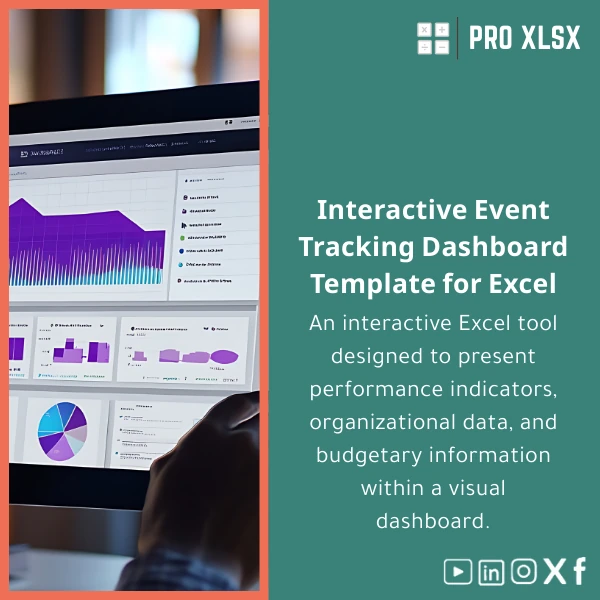
Interactive Event Management Dashboard Template for Excel
Original price was: $48.33.$37.53Current price is: $37.53.
An interactive Event Management Dashboard that consolidates KPIs, tasks, and budgets in one Excel workbook—built for accountants, data analysts, and companies who need fast, accurate event reporting and operational control without deploying complex systems.
Key benefits & value for the buyer
This Event Management Dashboard turns scattered spreadsheets and manual status updates into a single source of truth. It was designed to produce actionable insights quickly so finance teams and event managers can make decisions based on verified numbers.
What you gain
- Faster month-end & event reconciliation: Pre-built budget mapping and reconciled actuals reduce closing time for event reports.
- Clear operational visibility: Track vendor payments, deliverables, and risk items so nothing is missed in the final 72 hours.
- Data-driven decisions: Standardized KPIs (attendance rate, revenue per attendee, cost variance) that executives understand.
- Low implementation cost: No subscription — download, populate your data, and you have a dashboard that works offline.
- Scalable for programs: Use the same workbook for recurring events or roll up multiple events for program-level reporting.
Use cases & real-life scenarios
Examples of how the Event Management Dashboard is used in practice:
- Accountant for an events company: Reconciles vendor invoices to budget lines, produces variance reports, and exports summaries to management in minutes.
- Marketing manager: Measures conversion KPIs from registration to attendance and calculates ROI per campaign.
- Corporate HR running training series: Tracks costs, headcount, and total hours to compare internal vs external delivery models.
- Event operations team: Uses task tracking and supplier status to reduce no-shows and delayed deliveries before the event day.
Who is this product for?
Designed for professionals who need accurate, audit-ready event numbers without investing in BI platforms:
- Accountants and auditors preparing event financial statements.
- Data analysts who need a rapid analysis and visualization layer.
- Event managers and operations teams that require tight budget control and task monitoring.
- Small and medium enterprises running frequent or one-off events and conferences.
How to choose the right variant
We designed the dashboard to cover several event sizes. Choose based on complexity and data volume:
- Small events (single-day, < 300 participants): Use the “Lite” setup: basic budget tracking, attendance, and task list.
- Medium events (multi-day or multiple sessions): Use the “Standard” setup: additional KPIs, vendor tracking and per-session reporting.
- Large programs (multi-event rollups): Use the “Pro” setup: consolidated roll-ups, advanced slicers, and optional VBA automation for scheduled exports.
If you’re unsure, download the standard template and request an hourly customization from ProXlsx to adapt it to your structure.
Quick comparison with typical alternatives
When evaluating options, consider the trade-offs:
- Manual spreadsheets: Cheaper at first but error-prone and slow to update; our template enforces structure and validation.
- BI platforms: Powerful but expensive and require ongoing licenses — the template provides fast ROI for event teams.
- Google Sheets: Good for collaboration but not ideal for large datasets or advanced Excel features like Pivot-based performance dashboards and VBA automation.
Best practices & tips to get maximum value
- Keep a master data sheet with unique event IDs and vendor codes to enable roll-ups.
- Use data validation lists for vendors, cost categories, and event types to avoid inconsistent entries.
- Protect calculation sheets to prevent accidental formula changes and maintain auditability.
- Schedule a 60–90 minute walk-through with a ProXlsx consultant if you’ll use the template across multiple departments.
Common mistakes when buying or using event templates — and how to avoid them
- Buying a generic budget sheet: Choose templates with KPI and operational tabs to avoid rebuilding visuals later.
- Not planning data flow: Map where registration, payments, and refunds enter the sheet before importing data.
- Skipping backups: Keep versioned backups and export PDF reports for governance.
Product specifications
- File format: .xlsx (Excel workbook), sample export-ready PDF reports.
- Compatibility: Microsoft Excel 2016 or later for Windows; Excel for Mac supported (limited VBA features on Mac).
- Included sheets: Dashboard (KPIs & visuals), Budget & Commitments, Revenue & Payments, Tasks & Vendors, Raw Data & Lookup tables, Documentation.
- Features: PivotTables, slicers, dynamic charts, conditional formatting, optional VBA macros for exports and automated refresh.
- Delivery: Instant digital download after purchase; documentation and setup guide included.
- Support: Optional hourly customization services available from ProXlsx (data import, label localization, automation).
- Language: English interface; labels are editable and ready for Arabic localization if required.
Frequently asked questions
Which Excel versions are supported and will it work on Mac?
The dashboard is built for Excel 2016 or later on Windows. Basic features (PivotTables, charts, slicers) work on Excel for Mac, but some VBA automation may be limited on Mac. If you need full Mac compatibility, request the Mac-tested variant or an hourly customization from ProXlsx.
Can I customize fields, add new metrics, or localize labels to Arabic?
Yes. The workbook uses a clean data model so analysts can add fields and KPIs. Labels are editable for Arabic or bilingual reports. If you prefer, purchase an hourly customization session and our specialists will adapt the template to your chart of accounts, KPI definitions, and language needs.
How is my data protected when I use the template or ask for customization?
Downloads are delivered directly to you; data remains on your machine. For customization services, ProXlsx follows data confidentiality guidelines and can sign an NDA. We recommend sharing a masked sample dataset when possible.
What if I change my mind after buying?
Because this is a digital product, refunds are considered on a case-by-case basis. If the template doesn’t meet the advertised features, contact ProXlsx support and we will work with you to fix the issue or offer a partial refund if appropriate.
Get the dashboard and control your next event
Download the Interactive Event Management Dashboard Template for Excel and start producing accurate event reports today. If you need help, ProXlsx offers hourly customization and data services to match the template to your systems.
Need a demo or customization? Contact ProXlsx after purchase to schedule a setup call with an analyst.







Reviews
Clear filtersThere are no reviews yet.