


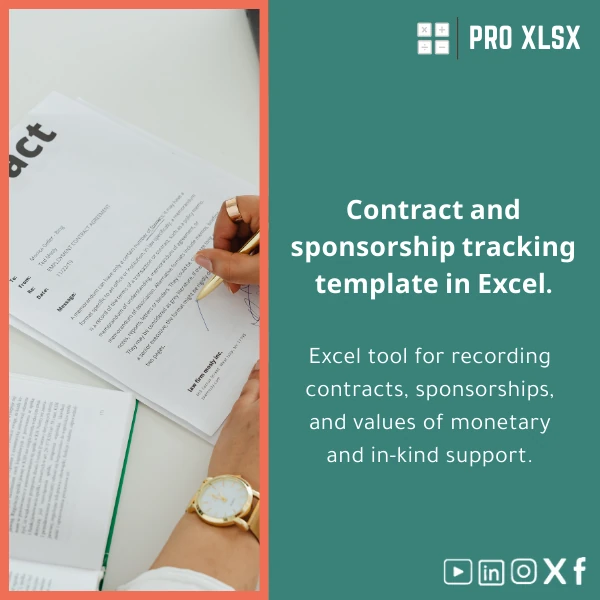
Contracts Tracking Template for Events and Sponsorships
Original price was: $48.33.$37.53Current price is: $37.53.
A practical Excel contracts tracking template that centralizes contracts, sponsorship commitments (cash & in‑kind),
payment schedules and deliverables—designed for accountants, data analysts and event teams who need fast, auditable control.
Key benefits & value for your team
The Contracts Tracking Template simplifies oversight so you spend less time searching spreadsheets and more time making decisions.
It converts scattered contract details into structured data you can filter, validate and present. Core benefits include:
Financial clarity
Consolidate cash and in‑kind sponsorship values, link them to budget lines and generate receivables/payables lists for your accounting team.
Operational control
Track deliverables, deadlines and owner responsibilities—send automatic status snapshots to project managers or sponsors (manual or via simple macros).
Audit & compliance
Each entry stores source references, contract numbers and revision dates to support internal audit trails and external reporting needs.
Use cases & real-life scenarios
How the contracts and sponsorships log is used in daily workflows:
Example: Event accounting close
An events accountant imports invoices and sponsorship commitments into the template, matches payments to contract milestones, and exports a month‑end report.
The pivot summary shows outstanding sponsor receivables and in‑kind valuations for the financial statements.
Example: Sponsorship fulfilment tracking
A sponsorship manager uses the template to confirm deliverables: logo placement, on-site booths, speaker slots. The template flags missed deliverables and calculates penalties or credits.
Example: Audit preparation
During audit, the finance team filters contracts by date and counterparty, attaches proof links and exports a clean CSV for the auditor—saving hours of manual compilation.
Who is this product for?
The Contracts Tracking Template was built for professionals who need precision without heavy IT:
- Accountants and finance teams at event agencies and venues
- Data analysts consolidating sponsor value and contract KPIs
- Marketing and sponsorship managers who must prove fulfilment
- Consultants and auditors who require an auditable contracts and sponsorships log
How to choose the right version
Choose based on your Excel environment, team size and desired automation:
- Standard Excel file (no macros): best if your IT policy blocks VBA. Works in Excel for Windows/Mac and Excel Online for basic functions.
- Enhanced (with optional VBA): includes automation for status emails, dashboard refresh and import helpers—recommended for teams using desktop Excel (Windows).
- Customization add-on: order hourly customization (data import, custom columns, Arabic/English localization, VAT rules) from ProXlsx experts if you need a tailored workbook.
Quick comparison with typical alternatives
When evaluating options, consider speed, cost and control:
- Manual spreadsheets: cheap but error-prone and not auditable—our template reduces human error with validation and structured tables.
- Full contract management systems: feature-rich but costly and slow to implement—this Excel template delivers practical control immediately, at a fraction of the cost.
- Off-the-shelf CRM modules: may track sponsor contacts but often lack financial aggregation and event-specific deliverable tracking—our template fills that gap.
Best practices & tips to get maximum value
- Import historical contracts in a single batch using the provided import sheet—standardize counterparty names first to avoid duplicates.
- Use data validation lists for contract status and deliverables to keep entries consistent.
- Lock core formulas and keep a raw data sheet for imports—this preserves the dashboard and reduces accidental changes.
- Schedule a 1‑hour customization with ProXlsx to add specific VAT or reporting rules used by your organization.
Common mistakes when buying or using templates—and how to avoid them
- Buying without a plan: define what reports you need (cash forecast, sponsor fulfilment, audit pack) before selecting the version.
- Over-customizing initially: start with the standard workbook, stabilize processes, then add custom fields.
- Ignoring backups: store a copy in a version-controlled shared drive to avoid data loss.
Product specifications
- Format: .xlsx (Standard) and .xlsm (Enhanced with macros)
- Compatiblity: Excel 2016+, Excel for Microsoft 365 (desktop), limited features in Excel Online
- Sheets included: Dashboard, Contracts Register, Sponsorship Log, Payments, Deliverables, Import Helper, Audit Notes
- Features: Structured Excel tables, pivot-ready layouts, data validation lists, sample formulas for in‑kind valuation
- Optional: VBA snippets for dashboard refresh and email snapshots (available in .xlsm)
- Delivery: Instant download after purchase; customization available billed hourly by ProXlsx
- Support: Email support and short setup guidance included; paid hourly implementation available
Frequently asked questions
Can I use this contracts tracking template without VBA or macros?
Yes. The standard .xlsx version includes all core tracking and reporting features without macros. Macros are optional in the .xlsm version for automation—choose the .xlsx if your environment blocks macros.
Will this template work for multiple events and sponsors simultaneously?
Yes. The template is structured to handle multiple events and sponsorship agreements. Use filters and the event column to generate per-event summaries and consolidated financial views.
How do you calculate in‑kind support value?
The workbook includes a sample method and columns for declared in‑kind value, valuation basis and approvals. You can modify the valuation rules or request a custom formula per your internal policy via ProXlsx hourly services.
Do you provide customization or data migration services?
Yes. ProXlsx offers hourly customization and data migration—import, mapping, adding custom columns and creating Arabic/English labels are available. Contact us after purchase to schedule work.
Ready to organize contracts and sponsorships—fast
Reduce reconciliation time, improve sponsor fulfilment tracking, and produce reliable reports for finance and management.
Choose immediate download or contact ProXlsx for a tailored implementation.
Related products

Excel Cost Center Analysis Template for Allocation & Reporting

Excel Fixed Assets Management Template with Auto Depreciation

Flexible Budgeting Template for Excel Analysis

Indirect Manufacturing Costs Allocation Template in Excel

Interest Calculation Template for Excel with Cash Discounts
An Excel-ready interest calculation template that computes simple and compound interest, generates early‑payment cash discount schedules, and converts those results into clear reports and cashflow tables — built for accountants, data analysts, and finance teams who need reliable, fast answers without custom development.



Reviews
Clear filtersThere are no reviews yet.