



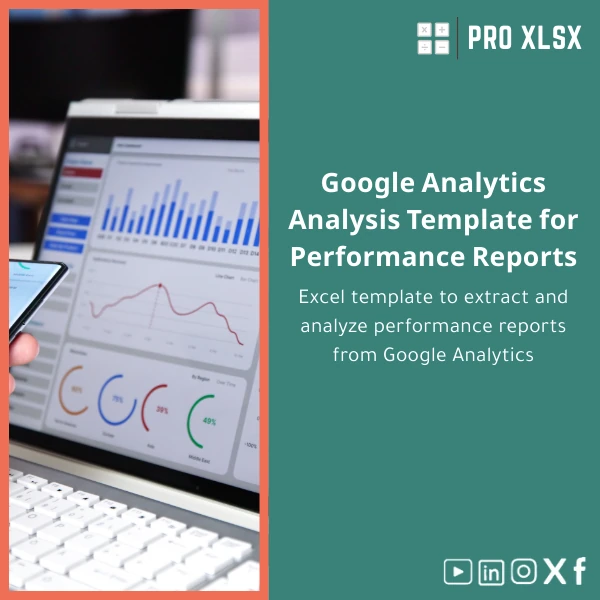
Google Analytics Analysis Template for Performance Reports
Original price was: $48.33.$37.53Current price is: $37.53.
A ready-to-use Excel workbook that extracts, consolidates and analyzes Google Analytics (including GA4) performance data into clear reports and dashboards — built for accountants, data analysts and companies that need fast, trustworthy web-traffic analysis without complex BI tools.
Key benefits & value for your business
This Google Analytics analysis template transforms raw GA/GA4 exports into actionable reports that finance teams, auditors and managers can trust. The emphasis is on speed, auditability and repeatability — not just visualisation.
What you get — translated into measurable outcomes
- Faster reporting: reduce manual preparation from hours to minutes using built-in import and cleansing macros.
- Accurate reconciliations: mapped traffic and conversion metrics that align with accounting and sales records.
- Repeatable templates: standardised monthly and campaign reports that help internal and client-facing teams stay aligned.
- Cost-effective analysis: Excel-based solution avoids additional BI licensing and keeps everything on-premise for data control.
Use cases & real-life scenarios
Accountant reconciling marketing spend to website conversions
Use the template to import campaign-level GA4 export, calculate cost per acquisition (CPA) and link conversions to invoice periods. The pivot-ready structure makes month-end reconciliation predictable and auditable.
Data analyst preparing client performance packs
Generate a 1-page executive dashboard plus detailed breakdowns by traffic source, landing page, and device. Pre-configured KPI filters and timeline slicers speed up delivery for agency clients.
SME finance team tracking digital revenue
Combine exported ecommerce events with your internal revenue file to validate online sales and spot attribution gaps — all inside Excel without moving to a separate analytics platform.
Who is this product for?
Designed specifically for:
- Accountants and auditors who need reliable website traffic and conversion figures aligned with financial periods.
- Data analysts who prefer Excel-driven workflows (GA4 reporting Excel users).
- SMEs and marketing teams who need a website traffic analysis sheet and simple dashboards without heavy BI systems.
- Consultants and agencies preparing client performance reports on schedule.
How to choose the right configuration
There are two common ways customers use the template:
- Download the base template and use the step-by-step import guide if you export GA or GA4 CSVs manually.
- Order the template plus an hourly setup service from ProXlsx to connect your exports, map custom events and automate refresh via VBA.
Choose manual-first if you want a low-cost start. Choose the setup service if you need immediate integration and customised KPIs.
Quick comparison with typical alternatives
Most teams choose between three approaches — we show the practical trade-offs:
- Excel template (this product): low cost, full control, fast onboarding, ideal for teams who already trust Excel workflows.
- Cloud BI (dashboards): powerful visuals and auto-refresh but higher ongoing cost and steeper learning curve; may require data exports or connectors.
- Custom-coded pipeline: highly flexible but slower to deliver and expensive to maintain for small to mid-size businesses.
Best practices & tips to get maximum value
- Standardise export names and date formats from GA/GA4 to avoid mapping errors during import.
- Keep a small “raw” sheet for each import and do all transformations via formulas and macros — preserves audit trail.
- Use the included pivot templates to create saved layouts for month, campaign and channel level analyses.
- Schedule a short setup call with ProXlsx if you track custom events or multiple properties; small setup time saves repeated manual work.
Common mistakes when buying or using analytics templates (and how to avoid them)
- Expecting direct API sync without setup: GA4 API connections require configuration — use the optional setup service if you need automation.
- Mixing different date granularities: ensure all exports use the same timezone and date range to avoid misaligned KPIs.
- Overloading a single workbook: split raw imports from dashboards to keep file size manageable and improve performance.
Product specifications
- File format: .xlsx (Excel workbook)
- Compatibility: Excel 2016+, Excel 365 (Windows recommended for VBA automation)
- Sheets included: Raw imports, Cleaned dataset, KPI dashboard, Pivot reports, Settings & Mapping
- Automation: Optional VBA macros for refresh & consolidation (user-enabled)
- Languages: English (templates use standard Excel functions)
- Delivery: Instant download after purchase + documentation
- Optional service: Hourly setup and customization available from ProXlsx (data mapping, VBA tweaks)
Frequently asked questions
Is this template compatible with GA4 exports?
Yes. The template supports GA4 CSV exports and standard Universal Analytics CSVs. Mapping fields for custom events or user properties can be configured during a short setup session if needed.
Can I connect the template directly to the Google Analytics API?
The template is designed primarily for exported CSV workflows. Direct API integration can be implemented as a paid add-on (hourly service) where we add a connector or automation to refresh data.
How much customization is possible — can you add custom KPIs?
Yes. ProXlsx offers hourly customization services to add KPIs, map internal revenue files, or modify dashboards. Typical custom tasks are completed in 1–4 hours depending on complexity.
What about file performance and size?
To keep performance optimal, the workbook separates raw imports from dashboards and includes guidance on splitting large datasets. For very large event-level exports, consider aggregating before importing or requesting a customised solution.
Ready to standardise your GA reporting in Excel?
Download a structured Google Analytics analysis template that accountants and analysts can rely on. If you want fast setup, ProXlsx provides hourly implementation and mapping support to get you reporting in days, not weeks.
After purchase you get immediate access to the .xlsx file, documentation and optional instructions for connecting GA exports. ProXlsx also offers paid hourly support for integrations and bespoke reports.








Reviews
Clear filtersThere are no reviews yet.