



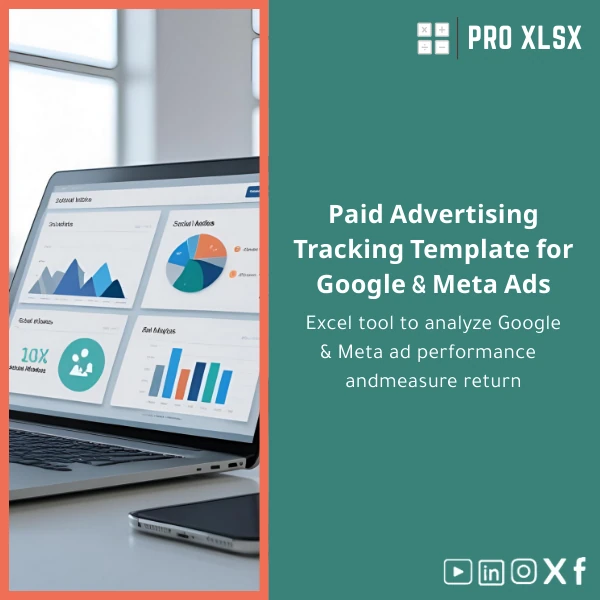
Paid Advertising Tracking Template for Google & Meta Ads
Original price was: $48.33.$37.53Current price is: $37.53.
A ready-to-use paid advertising tracking template in Excel that centralizes Google Ads and Meta (Facebook/Instagram) metrics, calculates ROAS, and turns campaign data into decision-ready reports — fast, accurate, and customizable for accountants, analysts, and companies.
Key benefits & value for buyers
This paid advertising tracking template transforms scattered campaign exports into actionable financial insights. Designed for professionals who must reconcile ad spend with revenue, it saves time, reduces errors, and produces numbers auditors and managers trust.
What you get — and why it matters
- Single source of truth: Consolidate Google Ads campaign tracker and Meta ads performance template data into one workbook to avoid mismatched KPIs.
- Faster month-end reporting: Prebuilt dashboard and pivot-ready raw data reduce manual aggregation by hours every reporting cycle.
- Finance-friendly calculations: CPA, CAC, ROAS, and contribution-margin formulas are transparent and traceable for accounting review.
- Flexible for customization: Use out-of-the-box or request ProXlsx hourly services to adapt fields, add currencies, or automate imports.
- Cost control: Quickly identify underperforming campaigns and reallocate budgets with confidence.
Use cases & real-life scenarios
Concrete examples of how teams use the template:
Example 1 — Monthly ROAS report for an e‑commerce brand
The marketing analyst imports the last 30 days of Google and Meta exports into separate sheets. The dashboard shows campaign ROAS, cost per purchase, and cumulative revenue by channel. CFO reviews the ROAS trend and approves budget shifts.
Example 2 — Accounting reconciliation for ad spend
An accountant uses the raw-data sheet to verify billed amounts against platform invoices, flags discrepancies, and produces an audit file with clear formulas and notes.
Example 3 — Freelance digital marketer delivering KPI pack
A consultant customizes the template (hourly service) to include client-specific conversion values and automated charts, then delivers a branded Excel report each week.
Who is this product for?
- Accountants and auditors reconciling ad expenses and revenue.
- Data analysts building integrated marketing dashboards without BI tools.
- Small and medium companies that need campaign-level financial controls.
- Agencies and freelancers who prepare client reports and want templated consistency.
- Teams in the Egyptian market seeking fast, affordable Excel-first solutions.
How to choose the right template & add-ons
Decide by three practical criteria:
- Compatibility: Choose if your organization uses Excel 2016+ or Microsoft 365. If you use Google Sheets, contact us for a conversion estimate.
- Automation needs: If you want one-click consolidation, select the VBA-enabled setup or request ProXlsx hourly automation service.
- Level of detail: Use the standard template for campaign-level KPIs; order customization when you need ad-set/ad-level or customer-LTV integration.
Quick comparison with typical alternatives
Why choose this Excel solution over typical options:
- Manual spreadsheets: This template replaces inconsistent manual sheets with standardized, auditable formulas.
- Complex BI tools: BI platforms are powerful but costly and require setup. This Excel template gives fast ROI without platform migration.
- Multiple disconnected reports: Consolidates Google Ads campaign tracker and Meta ads performance template needs in one file to reduce reconciliation overhead.
Best practices & tips to get maximum value
- Keep an import routine: paste exports into the “Raw-Data” sheets the same way each week to keep formulas consistent.
- Use named ranges: avoid accidental breaks when adding columns — use the template’s named ranges for mappings.
- Document conversions: add a short note in the workbook when you override default conversion values for clarity during audits.
- Back up before running macros: if you enable VBA automation, keep a copy to prevent accidental data loss.
- Leverage ProXlsx hourly support for rapid customizations (branding, currency, automated imports).
Common mistakes when buying/using paid ads templates — and how to avoid them
- Buying a template that doesn’t match your export structure: Check sample column mappings. Use our customization service if your exports include non-standard fields.
- Enabling macros without testing: Test macros on a copy and validate results before trusting automated consolidations.
- Relying on raw platform metrics without finance mapping: Map your revenue and conversion values to internal GL codes for accurate accounting.
Product specifications
- Format: .xlsx (Excel workbook)
- Compatibility: Microsoft Excel 2016, 2019, Microsoft 365; limited support for Excel for Mac (macros require manual enable)
- Sheets included: Instructions, Raw Data (Google Ads), Raw Data (Meta Ads), Mapping, Calculations, Dashboard, Audit Log
- Main features: ROAS tracking spreadsheet, CPA/CAC calculations, pivot-ready raw data, filterable dashboard, exportable charts
- Macros: Optional VBA for automated consolidation (disabled by default)
- Language: English (custom Arabic labels available via customization)
- Support: Documentation + ProXlsx hourly customization & implementation services available
Frequently Asked Questions
Can I use this template with both Google Ads and Meta Ads exports?
Yes. The workbook has dedicated import sheets and mapping logic for Google Ads and Meta (Facebook/Instagram) exports. Paste or import each platform’s CSV and use the mapping sheet if your column names differ.
Is the template compatible with Excel on Mac and Google Sheets?
Compatible with Excel for Mac for standard formulas, but VBA macros may require adjustments on Mac. For Google Sheets conversion, contact ProXlsx for a conversion estimate or request hourly migration support.
Can you customize the template for our chart of accounts or LTV model?
Yes. ProXlsx provides per-hour customization and automation services to integrate company-specific revenue mapping, LTV models, multi-currency support, or branding.
How secure is the file and our data?
The template is delivered as an .xlsx file for local use — no cloud upload is required. If you request ProXlsx services, you can transmit sample data securely; we support NDAs on request.
Ready to centralize your paid ads data?
Download a tested paid advertising tracking template that accountants and analysts can trust — or order custom setup and automation from ProXlsx to get reporting ready in hours, not weeks.
If you need a demo of how it works with your exports, contact ProXlsx support — we offer quick walkthroughs and per-hour customization to fit your workflow.









Reviews
Clear filtersThere are no reviews yet.