




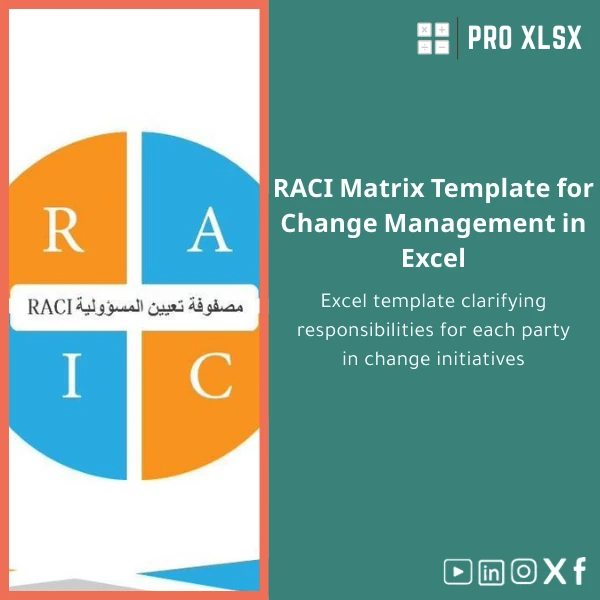
RACI Matrix Template for Change Management in Excel
Original price was: $37.53.$26.73Current price is: $26.73.
A practical RACI matrix template in Excel that clarifies responsibilities across change initiatives — designed for accountants, data analysts, PMOs and companies that need fast, auditable role assignment and traceability for projects and process changes.
Key benefits & value for the buyer
This RACI Excel template converts ambiguous role conversations into an operational tool that helps teams deliver change with fewer delays and clearer accountability. It’s built to deliver measurable business benefits:
- Faster approvals: Pre-defined role mapping reduces meeting time and speeds up sign-offs.
- Lower rework: Clear ownership decreases duplicated effort and incorrectly-executed tasks.
- Traceability: Each activity records responsible, accountable, consulted and informed parties — ideal for audit trails in finance and compliance projects.
- Re-usable governance: Save templates per project or process so governance scales across programs.
- Cost-effective: Excel-based solution avoids additional licensing and integrates with your existing reports and dashboards.
Use cases & real-life scenarios
Example 1 — ERP change for finance
When upgrading an accounting module, use the RACI matrix template to map responsibilities for data migration, reconciliation, testing and sign-off. The template helps the project manager assign data owners, test leads and approvers, reducing month-end risk during cutover.
Example 2 — Internal control redesign
Finance teams can document control owners, reviewers and monitoring roles. The RACI matrix becomes part of evidence for external auditors and supports periodic control testing schedules.
Example 3 — Cross-functional process improvement
In operations and supply chain, quickly align stakeholders — the template highlights who must be consulted when a procurement or billing process is changed, preventing downstream bottlenecks.
Who is this product for?
Designed for professionals who need structured, auditable role assignment without complex software:
- Accountants and finance controllers implementing system changes or reconciliations.
- Data analysts and BI teams mapping responsibilities for data governance and ETL tasks.
- Project managers and PMOs who maintain program-level RACI matrices across multiple projects.
- Change managers and organizational development teams formalizing decision rights.
- Consultants and auditors who need printable, consistent documentation for clients.
How to choose the right variant
Choose based on team size and use scope:
- Single-project use: Standard template — one workbook, ready-to-fill sheets, example project.
- Program or portfolio: Multi-project variant — includes overview dashboard and consolidation sheet for roll-up reporting.
- Enterprise or automation: VBA-enabled version — add auto-filtering, role validation and printable reports. Recommended if you want to automate exports or enforce role lists.
If you’re unsure, select the standard template and add hourly implementation from ProXlsx to tailor it to your needs.
Quick comparison with typical alternatives
Alternatives often include manual Word tables, simple spreadsheets, or specialist governance software. How the RACI Excel template compares:
- Vs manual Word tables: Excel template is structured, formula-driven and easier to update and audit.
- Vs generic spreadsheets: This template includes role validation, printable views, and a consistent layout designed for change initiatives.
- Vs specialist software: Lower cost and immediate deployment; ideal when the priority is fast adoption and integration with existing Excel-based reporting.
Best practices & tips to get maximum value
- Keep role names standardized — use the template’s role list to avoid duplicates (e.g., “Finance Lead” vs “Lead – Finance”).
- Start with high-level activities, then decompose only where decision clarity is necessary.
- Use the printable sign-off sheet for stakeholder approvals; attach it to change requests.
- Version your RACI by date and owner inside the workbook to create an audit trail.
- If you have multiple projects, use the consolidation sheet in the multi-project variant to track overlapping responsibilities.
Common mistakes when buying/using RACI templates and how to avoid them
- Not standardizing roles: Leads to confusion — use the template’s role table and enforce selection rather than free text.
- Over-detailing: Mapping every minor task creates maintenance overhead — keep the matrix focused on decisions, approvals and handoffs.
- No review cadence: A RACI left unreviewed becomes obsolete — schedule a governance review each project milestone.
- Assuming the tool enforces behavior: Use the matrix in meetings and approvals; the file alone won’t change people’s habits.
Product specifications
- Format: Excel workbook (.xlsx). Optional VBA-enabled .xlsm variant available.
- Compatibility: Microsoft Excel 2016 and later (Windows/Mac). Compatible with Excel in Microsoft 365.
- Sheets included: Instructions, Role List, RACI Template, Printable Sign-off, Consolidation Dashboard (multi-project variant).
- Features: Role validation lists, conditional formatting, printable export layout, example filled sample project.
- Delivery: Instant download after purchase. Optional hourly setup and customization services from ProXlsx.
- Language: English (editable labels for localization).
- Use notes: Best used as a governance artifact alongside project plans and change requests.
Frequently asked questions
Can I rename roles or add custom role types?
Is the template suitable for audits and compliance evidence?
What if I need help applying the template to my projects?
Does it work on Excel Online or Google Sheets?
Ready to clarify roles and accelerate your change initiatives?
Download the RACI matrix template now and bring immediate clarity to project roles, approvals and audit trails. If you prefer hands-on support, add hourly implementation by ProXlsx for a fast, tailored rollout.






Reviews
Clear filtersThere are no reviews yet.