



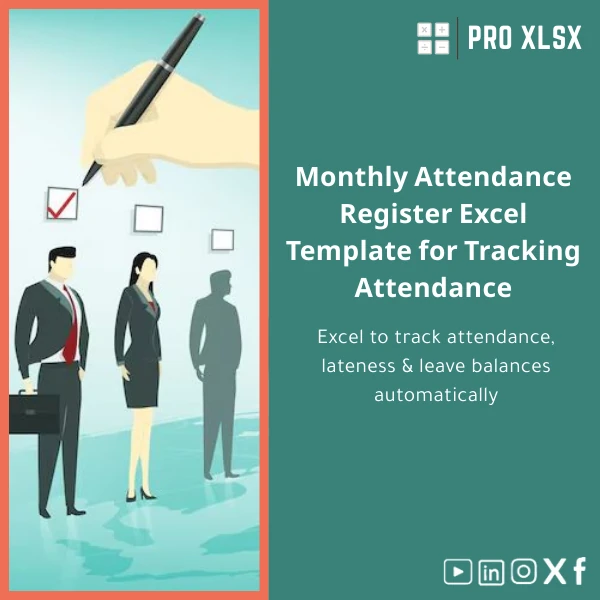
Monthly Attendance Register Excel Template for Tracking Attendance
Original price was: $37.53.$26.73Current price is: $26.73.
A ready-to-use monthly attendance register that tracks employee presence, lateness, and leave balances automatically.
Built for accountants, HR teams and data analysts who need reliable, auditable attendance records without expensive HR systems.
Key benefits & value for accountants, analysts and HR teams
The Monthly attendance register template turns manual attendance sheets into a single, auditable source of truth:
- Save time on month-end: automatic totals, absence summaries and late-arrival aggregates reduce reconciliation time by hours.
- Reduce errors: built-in validation and drop-downs prevent incorrect codes and missing dates.
- Improve payroll accuracy: exportable summaries that match payroll fields — late minutes and authorized leaves mapped to payroll deductions or allowances.
- Scalable & adaptable: use it for small teams or multiply sheets for larger workforces with consistent structure.
- Affordable alternative: delivers the core of an HRIS for a fraction of the cost, with optional hourly support if you need automation or customization.
Use cases & real-life scenarios
Monthly payroll reconciliation
Accountants import biometric or manual logs into the monthly attendance sheet, run the auto-summary and produce a verified attendance report for payroll. The template flags unexplained absences and computes late minutes for deduction logic.
Small business HR without HR software
A company of 20–100 employees uses the staff timesheet template to track shift attendance, generate printable registers for manager sign-off and keep historical monthly records for audits and compliance.
Data cleansing and reporting
Data analysts use the template as a staging sheet: transform raw logs (CSV) into standardized fields, then feed summaries to dashboards or financial models. ProXlsx offers hourly services if you prefer we handle imports and automation.
Who is this product for?
- Accountants and payroll administrators who need consistent monthly attendance summaries.
- HR managers and operations who require printable registers and leave tracking.
- Data analysts who need a structured attendance register Excel to feed reporting and BI tools.
- Small-to-medium enterprises in Egypt and similar markets that want professional templates without complex systems.
How to choose the right template setup
This template is configurable. Choose based on these simple criteria:
- Team size: single-sheet for <50 employees; use the multi-sheet setup included for 50–500 employees.
- Data source: manual entry vs biometric/CSV import — if importing, enable the import helper sheet or request our one-hour import service.
- Payroll rules: select deduction logic (late-by-minutes vs day-based) in settings; we can add custom rules on-demand.
- Macros: If you need automated imports or printable PDF export, enable macros or request a VBA add-on service.
Quick comparison with typical alternatives
Consider three common approaches: manual paper registers, generic spreadsheets, and full HR systems.
- Paper registers: low cost but error-prone and hard to consolidate monthly totals.
- Generic spreadsheets: often inconsistent formats and missing validation — our attendance register Excel adds consistent fields, formulas and validations.
- HR systems: powerful but costly and slow to implement — the template delivers fast ROI and can be upgraded with ProXlsx automation services when needed.
Best practices & tips to get maximum value
- Standardize employee IDs across systems to simplify imports and reconciliations.
- Keep one master file per month and archive copies as PDFs after approval.
- Use the template’s validation lists to avoid free-text errors in absence types.
- Run a weekly reconciliation between raw logs and the register to catch missing punches early.
- Back up before enabling macros and test VBA in a copy of the file.
Common mistakes when buying or using attendance templates — and how to avoid them
- Buying a one-size-fits-all sheet: ensure the template supports your payroll logic — we provide guidance and customization.
- Ignoring validation: enable the built-in drop-downs and rules to avoid inconsistent absence codes.
- Skipping backups: always keep monthly archives; use the template’s export feature before making bulk changes.
- Assuming compatibility: check your Excel version and enable macros only if you understand security prompts.
Product specifications
- File format: .xlsx (macro-free base file); optional .xlsm with VBA automation available as add-on.
- Compatibility: Microsoft Excel 2016 and later (Windows & Mac), Excel for Microsoft 365 recommended.
- Sheets included: Employee List, Daily Register (calendar layout), Monthly Summary, Import Helper, Settings & Leave Balances.
- Features: conditional formatting, data validation, automatic late-minute calculation, leave accrual & balance, printable register layout.
- Language: English interface; basic localization for Arabic labels available on request.
- Delivery: instant digital download after purchase; optional hourly support for customization and data imports.
- Usage notes: enable macros only if you download the .xlsm version; always work on a copy when testing custom VBA.
Frequently asked questions
Is this monthly attendance register compatible with biometric CSV exports?
Can I customize deduction rules for late arrivals or absent days?
What if my team is larger than the template’s default layout?
Do you provide support after purchase?
Ready to replace inconsistent attendance logs with a structured, auditable register?
Download the Monthly attendance register now and start producing accurate monthly summaries for payroll and audits. If you need help importing existing data or adding payroll rules, ProXlsx engineers are available by the hour.








Reviews
Clear filtersThere are no reviews yet.