



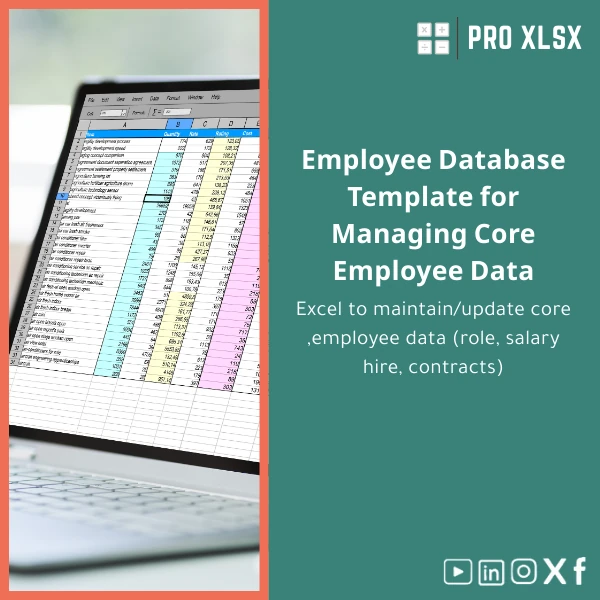
Employee Database Template for Managing Core Employee Data
Original price was: $18.63.$13.23Current price is: $13.23.
A ready-to-use Employee Database template in Excel that centralizes role, salary, hire dates, contract terms and essential HR records — built for accountants, data analysts and companies who need clean, audit-ready employee data without heavy HR systems.
Key benefits & value for accountants, analysts and managers
This Employee Database template is optimized to deliver practical value from day one:
- Save time on data entry: drop-downs, date pickers and data validation reduce errors and speed onboarding of employee records.
- Improve payroll accuracy: standardized salary fields and salary components make reconciliations easier for accountants.
- Reduce audit friction: change log, locked formulas and printable reports provide evidence-ready outputs for auditors and regulators.
- Drive decisions with clean data: pivot-ready tables and an example dashboard make headcount, turnover and cost-per-department visible in minutes.
- Affordable & fast: lower upfront cost than ERPs and quicker implementation than custom software — with optional hourly services for customisation.
Use cases & real-life scenarios
Payroll preparation and reconciliation
Export a reconciled employee list to payroll systems, or use the template’s salary summary to validate monthly payroll runs. Formulas calculate allowances and gross pay fields ready for review.
Contract monitoring & renewals
Track contract start and end dates. Use the sample dashboard to create a contract-expiry report and filter by department or manager to plan renewals weeks in advance.
Onboarding and record keeping
Use the structured employee data sheet as the single source of truth for HR and finance — store hire date, position history, documents checklist and emergency contacts in one file.
Management reporting & analysis
Quickly build headcount, salary bands, and turnover dashboards with pre-built pivot tables and charts. Analysts can load the template into Power Query for further transformation.
Who is this product for?
Designed for:
- Accountants who need a reliable staff database for payroll reconciliation and audits.
- Data analysts preparing HR dashboards without buying an HRIS.
- SMEs and local companies seeking a structured staff database that scales with their team.
- Consultants and outsourced HR providers delivering clean employee reports to clients.
How to choose the right template options
Decide based on three criteria:
- Team size: the template supports hundreds of records; choose the “extended rows” version if you expect thousands.
- Automation needs: pick the basic template for manual use or the VBA-enabled version for scheduled exports and imports.
- Reporting needs: standard templates include sample pivot reports; select the package with dashboard if you require visual reporting out of the box.
If uncertain, purchase the standard template and add hourly customization from ProXlsx to tailor fields, validations and automation to your process.
Quick comparison with typical alternatives
Common choices and trade-offs:
- Manual spreadsheets: cheap but error-prone. This template adds structure, validation and audit trails to reduce mistakes.
- ERP/HRIS systems: powerful but costly and slow to implement. The template provides a low-cost, fast-start alternative with export options for future migration.
- Custom development: tailored but expensive. The template + ProXlsx hourly services give a middle ground: affordable customization with predictable costs.
Best practices & tips to get maximum value
- Keep the master sheet read-only for most users; use a data-entry form or an input sheet for updates to preserve auditability.
- Make daily backups and store a monthly archive for compliance and easy rollback.
- Use named ranges for joins with payroll files and consistently format date fields (ISO yyyy-mm-dd) to avoid regional mismatches.
- Integrate the template with Power Query or your accounting software using CSV exports for repeatable workflows.
Common mistakes when buying/using employee templates — and how to avoid them
- Buying a generic sheet: leads to missing fields. Solution: choose templates with HR-specific fields or request a quick customization.
- No validation rules: causes inconsistent data. Solution: use this template’s built-in validation and dropdowns.
- Ignoring backups: risk of data loss. Solution: automate daily backups or use cloud storage with versioning.
Product specifications
- Format: .xlsx (Excel workbook)
- Compatibility: Excel 2016+, Office 365, and Excel for Mac (VBA features optional)
- Included sheets: Master Employee List, Data Entry, Change Log, Pivot Reports, Example Dashboard, User Guide
- Default fields: Employee ID, Full name, Role, Department, Manager, Salary, Salary type, Hire date, Contract start/end, Status, Email, Phone, Notes
- Automation options: Optional VBA macros for export/import, scheduled alerts for contract expiry (available as add-on)
- Rows supported: Standard (up to 2,000 rows); Extended version available for larger data sets
- Language: English; localized field labels can be customized on request
- Delivery: Immediate download after purchase + documentation and sample data
Frequently asked questions
Is this template compatible with my payroll system?
The template exports standardized CSV tables compatible with most payroll systems. For bespoke integration, ProXlsx offers hourly services to map and automate exports to your payroll format.
Do I need to enable macros/VBA?
No. The core template works without macros. VBA is optional and used only for advanced automation (scheduled exports, bulk imports). If you prefer not to use macros, choose the non-VBA version.
How secure is employee data in this file?
Security depends on how you store the workbook. The template includes sheet protection and user guidance for encryption. We recommend using encrypted storage (OneDrive/SharePoint with access controls) and following local data protection rules.
Can you customize fields for our local HR requirements?
Yes. ProXlsx provides hourly customization services to add fields, change validations, localize labels or build custom reports. Contact support for an estimate based on scope.
Ready to centralize your employee records?
Start with a structured, audit-friendly Employee Database template that accountants, analysts and HR teams can trust. Immediate download — add customizations anytime with ProXlsx hourly services.








Reviews
Clear filtersThere are no reviews yet.