



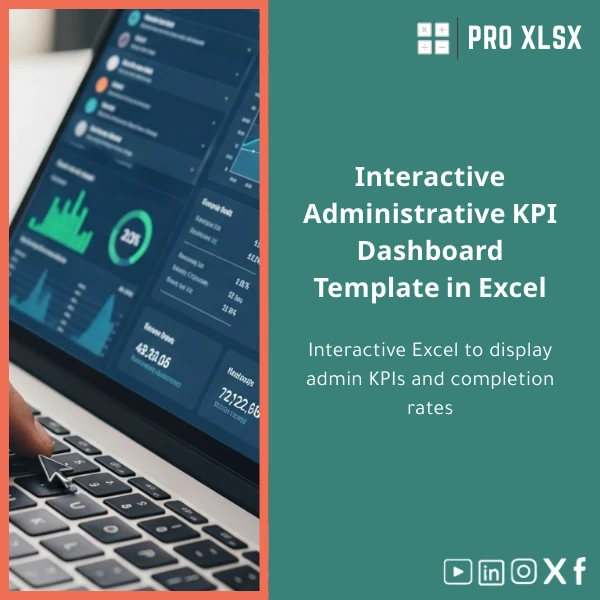
Interactive Administrative KPI Dashboard Template in Excel
Original price was: $48.33.$37.53Current price is: $37.53.
An interactive Administrative KPI Dashboard that turns raw admin and operational data into clear, actionable visuals — track completion rates, approvals, workload and SLA performance in Excel without complicated BI systems.
Key benefits & value for your team
This Administrative KPI Dashboard focuses on outcomes that matter to managers and analysts: faster decision cycles, fewer ad hoc reports, and clearer accountability for administrative processes. Below are the translated features into buyer benefits.
Save time — get reliable results
Pre-built formulas, validated input sheets and pivot-driven summaries remove repetitive setup. Instead of spending hours building visuals, you get a deployable dashboard that reduces monthly reporting time by an estimated 50–80% for typical admin teams.
Improve accuracy & auditability
Standardized input tables and data validation limit manual errors. Each KPI is calculated transparently in tagged helper sheets so your auditors or CFO can trace figures without hidden calculations.
Drive improvement with clear targets
Set thresholds (green/yellow/red) and track trends. The dashboard highlights which departments miss SLAs and where workload imbalances exist, helping managers prioritize interventions that reduce delays and costs.
Use cases & real-life scenarios
Example 1 — Monthly admin performance review
An accounting manager imports the month’s processed documents, uses slicers to show by team, and presents a one-slide summary to the executive meeting — completion rates, average processing time, and top 5 delay causes.
Example 2 — Continuous improvement project
A process improvement lead tracks the impact of a new approval workflow by comparing pre/post average approval times and backlog size, isolating results by staff and process type using the dashboard’s filters.
Example 3 — Outsourced data entry monitoring
Companies outsourcing admin tasks set performance KPIs and use the template to verify SLA adherence and calculate penalties or bonuses based on objective, time-stamped data.
Who is this product for?
This Administrative KPI Dashboard is specifically built for:
- Accountants and internal controllers who need consistent admin reporting.
- Data analysts in small-to-medium enterprises requiring quick dashboards without heavy BI licenses.
- Operations and HR teams tracking document flow, approvals, and workload distribution.
- Consultants and auditors who prepare operational reviews and management reports.
How to choose the right version
Choose based on compatibility, automation needs and team size:
- Non-macro .xlsx — Best if you need maximum portability (works on Excel Online and environments blocking macros).
- Macro-enabled .xlsm — Choose this for one-click refresh, scheduled email snapshot and lightweight VBA automations (requires Excel desktop).
- Single-user vs Team license — If multiple staff will edit the source data simultaneously, select a team license and consider shared network storage or cloud sync.
- Customization service — If you need company-specific KPIs or Arabic RTL layout, ProXlsx offers hourly customization services to adapt the dashboard quickly.
Quick comparison with typical alternatives
Common alternatives are manual Excel reports, custom BI tools, or generic templates. Compared to these:
- Vs manual reports — much faster to maintain and less error-prone.
- Vs heavy BI platforms — lower cost, zero deployment time, and no new user training for staff familiar with Excel.
- Vs generic templates — this template is focused on administrative KPIs and includes process-specific metrics and automation options.
Best practices & tips to get maximum value
- Use the included sample data to understand structure before importing real files.
- Standardize input CSV/Excel exports from your systems to match the template columns — this enables quick copy-paste or Power Query import.
- Define KPI owners and a monthly cadence for updates — dashboards are effective only when data is refreshed consistently.
- If you need integration, ask about lightweight VBA or Power Query scripts to automate data loads.
Common mistakes when buying/using dashboards and how to avoid them
- Mistake: Buying a generic template that requires heavy rework. Fix: Choose a template tailored to administrative KPIs or request ProXlsx customization.
- Mistake: Expecting magic without defining KPIs. Fix: Define 5–8 priority KPIs first (e.g., completion rate, average processing time, backlog) and map them to available fields.
- Mistake: Ignoring version compatibility. Fix: Confirm Excel version; use .xlsx for Excel Online or .xlsm for desktop automation.
Product specifications
- File formats: .xlsx (non-macro) and .xlsm (macro-enabled) included
- Works with: Excel 2016, Excel 2019, Excel for Microsoft 365 (desktop); limited functionality on Excel Online for macros
- Sheets included: Data input (validated tables), KPI calculations (transparent formulas), Dashboard (interactive charts & slicers), Documentation & Sample Data
- Languages: English interface (RTL layout and Arabic labels available as a customization service)
- Support: Quick start guide + 1 support email for setup questions; customization available hourly
- Licenses: Single-user, Team, Enterprise (terms shown at checkout)
Frequently asked questions
Is the dashboard compatible with Arabic (RTL) documents and Egyptian date formats?
Yes. The template uses Excel-native date formats and can display Arabic labels. For a fully right-to-left optimized layout or localized date parsing, we offer a low-cost customization service to adapt the workbook to Egyptian formats and RTL needs.
Do I need advanced Excel knowledge to use this Administrative KPI Dashboard?
No advanced skills are required. Basic Excel familiarity (copy-paste, opening files, using slicers) is enough. The package includes a step-by-step quick start guide; ProXlsx also provides paid hourly support if you prefer hands-on setup.
Will this template integrate with our ERP or document management system?
Direct integrations depend on your systems. In most cases you can export CSV/Excel from your ERP and paste or use Power Query. For automated connectors, ProXlsx offers bespoke integration services charged hourly.
What if we need extra KPIs or a different layout?
ProXlsx specialises in both ready-made templates and custom projects. You can buy the template and then request customization (additional KPIs, different visuals, branded layout) billed by the hour.
Ready to simplify administrative reporting?
Download a tested, professional Administrative KPI Dashboard built for accountants, analysts and managers. Reduce reporting time, improve accuracy, and get clear operational insight using Excel you already have.
If you need help picking the right version or want a quick customization quote, contact ProXlsx support after purchase — we deliver fast setup for Egyptian companies and Arabic-speaking teams.








Reviews
Clear filtersThere are no reviews yet.