


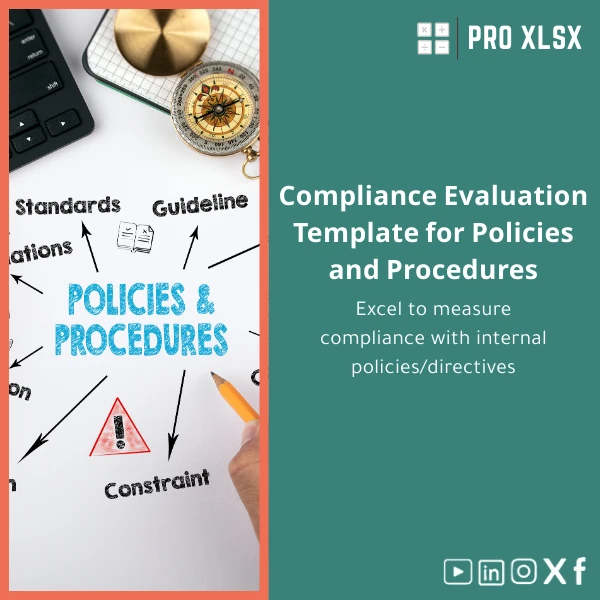
Compliance Evaluation Template for Policies and Procedures
Original price was: $48.33.$37.53Current price is: $37.53.
A ready-to-use Excel compliance evaluation template that lets audit teams, accountants, and operational managers measure adherence to internal policies quickly, generate scoring reports, and produce evidence-backed findings — no complex systems required.
Key benefits & value for your team
This Compliance Evaluation Template transforms scattered checklists and manual scoring into a single, repeatable Excel process. It reduces audit preparation time, improves consistency across reviewers, and produces outputs managers trust when making remediation decisions.
What you gain
- Faster evaluations: Pre-built checklist categories, weighting, and scoring mean most assessments take 30–60% less time.
- Clear evidence trail: Each score links to comments and document references, simplifying reportbacks and external audits.
- Customizable: Edit criteria, scoring rules, and risk thresholds — tailor the policies and procedures compliance template to any department.
- Excel-based dashboards: Interactive summary sheets show compliance by policy, department, or period without extra BI tools.
Use cases & real-life scenarios
Practical examples where the Excel compliance checklist pays for itself:
Internal audit — quarterly control review
Audit teams import control lists into the template, perform walkthroughs and scoring, then export an executive summary with risk-ranked findings. Use the template to assign corrective actions and track closure dates.
Accounting & finance — policy adherence checks
Finance managers use the template as an internal compliance evaluation form to verify adherence to approval matrices, segregation of duties, and journal entry protocols before month-end close.
Operations & compliance — pre-inspection checklist
Operations supervisors run a quick Excel compliance checklist to confirm procedures are followed on shop floor or branch level and generate an immediate corrective action plan.
Who is this product for?
This template is designed for:
- Internal audit teams in mid-size and large Egyptian firms
- Accountants and controllers responsible for internal controls and procedural compliance
- Data analysts who prepare compliance reports and dashboards
- Consultants and external reviewers seeking a standardized internal compliance evaluation form
How to choose the right version
We offer variations tuned to your Excel skill level and scope:
- Basic (no VBA): Ideal if you need a simple policies and procedures compliance template compatible with Excel online and older versions. Manual inputs and formulas only.
- Advanced (with optional VBA): Includes automation for report generation, import/export, and reminders. Best for teams that use Excel desktop and want to save time.
- Custom service: If your controls structure or reporting format is unique, order a tailored template or hourly execution service from ProXlsx.
Choose based on Excel version, required automation, and whether you want ProXlsx to adapt the template to local policies or Arabic/English bilingual headers.
Quick comparison with typical alternatives
Common options are manual Word/PDF checklists, enterprise GRC systems, or bespoke databases. The Compliance Evaluation Template balances cost and capability:
- Vs manual forms: More consistent scoring, automated roll-ups, and data export — without changing tools.
- Vs GRC platforms: Faster deployment and lower cost. No licensing complexity; ideal when you need a practical solution now.
- Vs custom development: Ready immediately and editable — avoid long delivery cycles and high development costs.
Best practices & tips to get maximum value
- Standardize criteria across assessments: keep question wording consistent to compare results over time.
- Use the evidence links: attach file names or cloud links for every test to speed audits.
- Set clear thresholds: define what scores trigger high, medium, or low risk and program these into the template.
- Schedule repeat checks: use the template to measure trends rather than one-off findings.
- Consider ProXlsx hourly support: if you prefer, our specialists can populate your first assessments and configure dashboard KPIs.
Common mistakes when buying/using compliance templates — and how to avoid them
- Buying a “one-size-fits-all” checklist: Avoid templates with non-editable questions. Our template is fully editable so it fits local policies.
- Underestimating Excel compatibility: Check whether your team uses Excel desktop vs online. Choose the Advanced (VBA) version only if desktop Excel is available.
- Skipping evidence capture: Without links or comments, scores are hard to defend. Use the template’s evidence fields consistently.
- Not training reviewers: Brief reviewers on scoring rules to reduce variance — ProXlsx offers short onboarding sessions if needed.
Product specifications
- Format: Microsoft Excel workbook (.xlsx). Optional .xlsm for VBA-enabled version.
- Works with: Excel 2016 or later (desktop recommended for VBA features). Limited functionality on Excel Online for VBA version.
- Languages: English default. Easy to localize to Arabic (RTL) — ProXlsx offers localization as a service.
- Includes: Checklist template, scoring engine, dashboard summary, findings register, corrective action tracker.
- Delivery: Instant digital download. Optional hourly customization and data-entry services available through ProXlsx.
- Usage notes: Keep original file backed up before applying macros. Enable macros only from trusted sources.
Frequently asked questions
Can I use this template with Excel Online or Google Sheets?
The basic (no VBA) version is compatible with Excel Online and can be opened in Google Sheets with limited functionality. The advanced version uses VBA for automation and requires Excel desktop (Windows). If you need full Google Sheets compatibility, request a conversion service from ProXlsx.
How customizable is the scoring and the set of policies?
Fully customizable. You can add/delete criteria, change weights, and redefine risk thresholds. ProXlsx can implement custom scoring rules or map your existing policy taxonomy for an additional service fee.
Is there support if my team needs help implementing the template?
Yes. ProXlsx offers hourly implementation and data-entry services, plus quick onboarding sessions for reviewers. Services include setting up dashboards, populating the first assessments, and adding VBA automation when required.
How does the template handle evidence and attachments?
The template includes fields to record evidence descriptions and file references (file names or cloud links). For local files, reviewers typically store evidence in a shared folder and paste paths/links into the template. ProXlsx can help integrate simple link-import routines.
Ready to standardize your compliance evaluations?
Download an Excel-ready compliance evaluation template that delivers repeatable results and saves audit time. If you need customization or hands-on support, ProXlsx offers fast, hourly services to adapt the template to your policies and systems.
Related products

Break-Even Analysis Template for Cost and Profit Estimation
A ready-to-use Break-Even Analysis template in Excel to calculate the sales volume needed to cover costs, model profit scenarios, and produce clear management-ready charts and a margin of safety calculator. Designed for accountants, analysts, and companies who need fast, reliable decision support without complex systems.







Reviews
Clear filtersThere are no reviews yet.